
Help & Guides Rajesh Patel Nov 1, 2026 2 views
How to Sign In to Your Firmware Drive Account
Sign in with your email or username, keep yourself signed in, and find your account menu.
You can sign in with either your email address or your username. Here is how.
Step 1: Click Sign in
On any page of firmwaredrive.com, click Sign in in the top right corner.

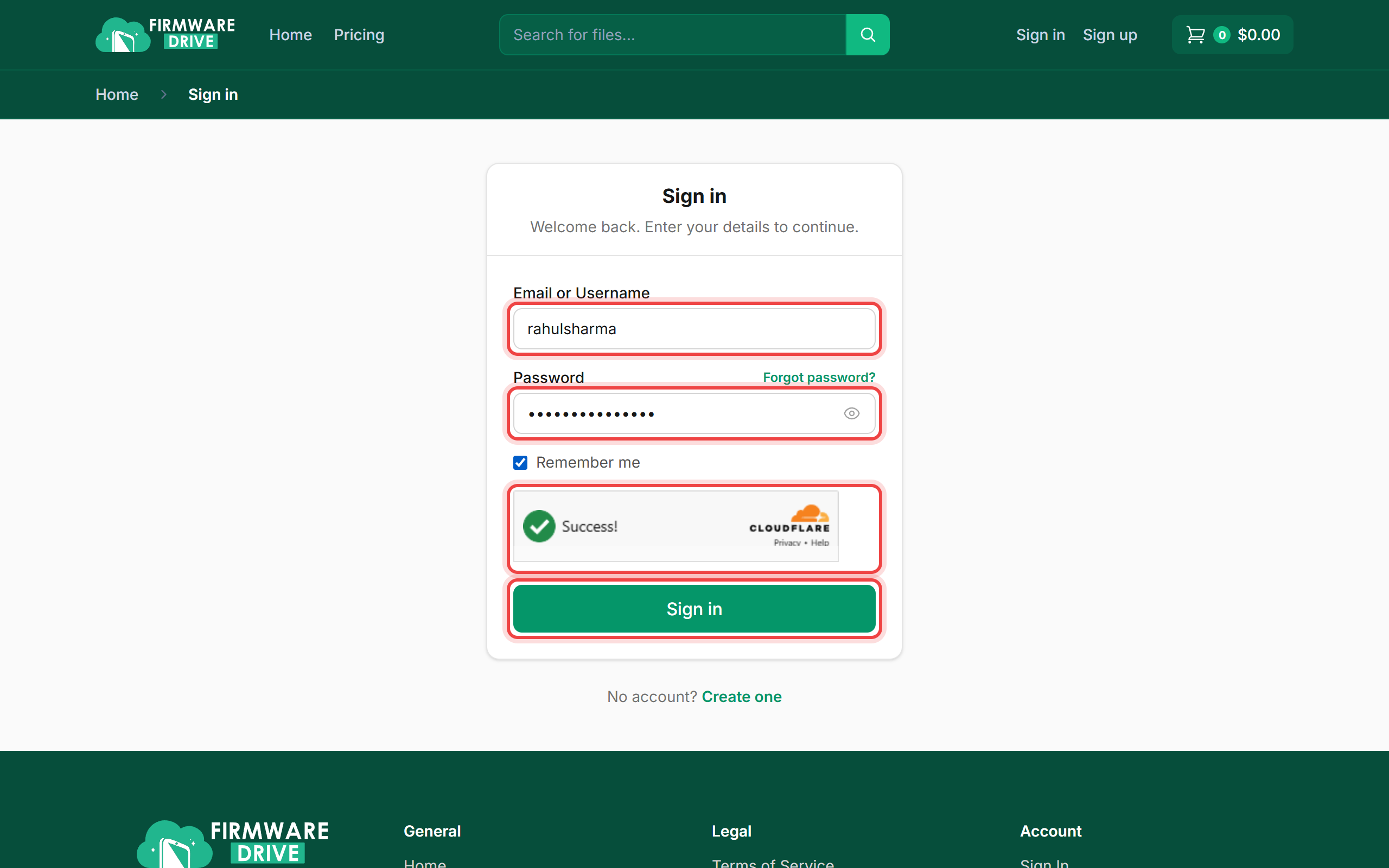
Step 2: Enter your email or username and password
Type your Email or Username and your Password. Tick Remember me on your own computer so you stay signed in. Wait for the Cloudflare check to show Success! and click Sign in.
Step 3: Open your account menu
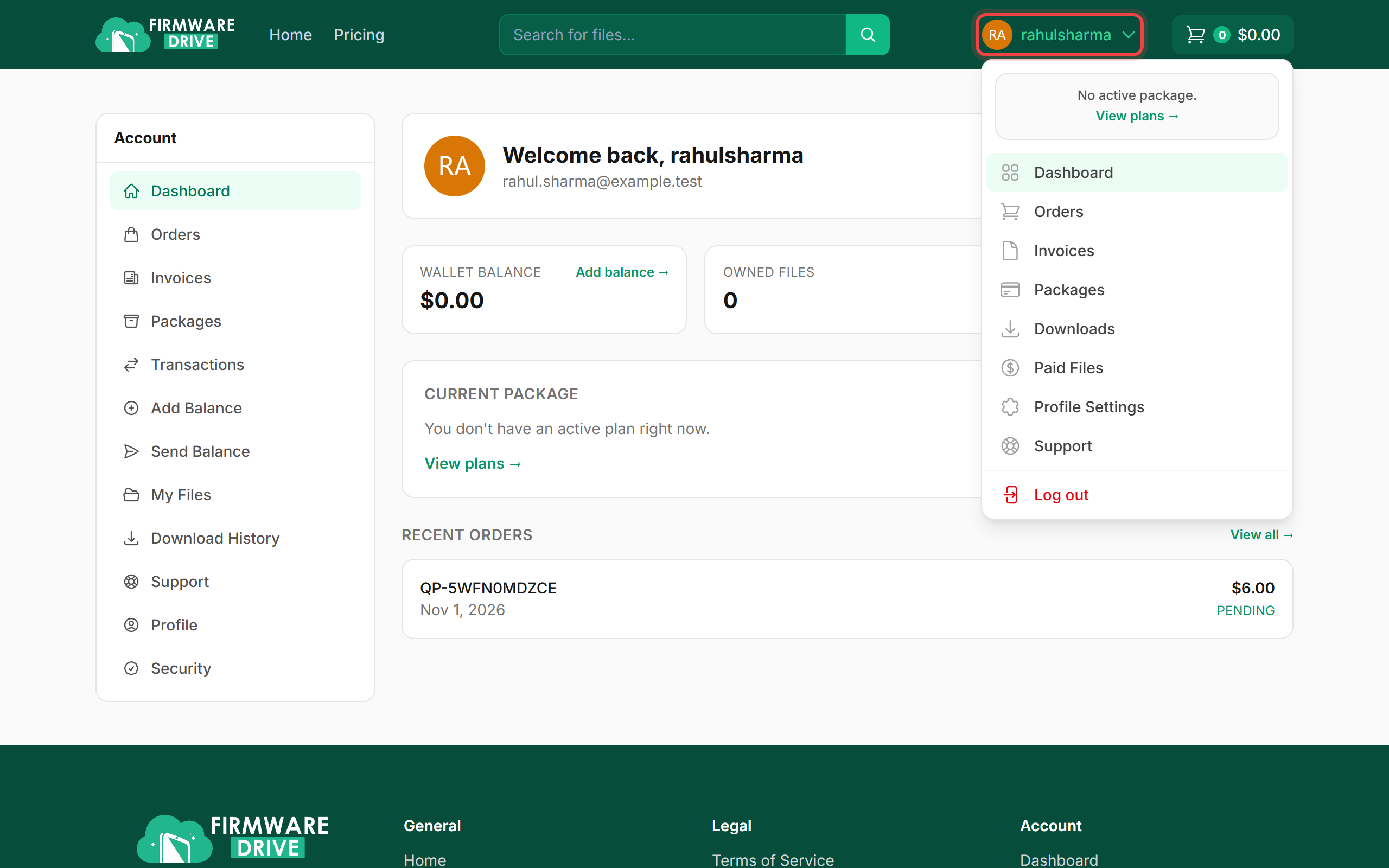
After signing in you are taken to your dashboard. Click your username in the header at any time to open the account menu with Dashboard, Orders, Invoices, Packages, Downloads, Paid Files, Profile Settings, Support and Log out.
Good to know
- If two-factor authentication is turned on, you will be asked for a 6-digit code after your password. See How to Turn On Two-Factor Authentication.
- Forgot your password? Follow How to Reset a Forgotten Password.
- Too many wrong attempts in a short time will pause sign-in for a minute. Wait, then try again.
More guides: Help & Guides.