
How to Reset a Forgotten Password
Get a password reset link by email and choose a new password for your Firmware Drive account.
If you cannot remember your password, you can set a new one using a link sent to your account email.
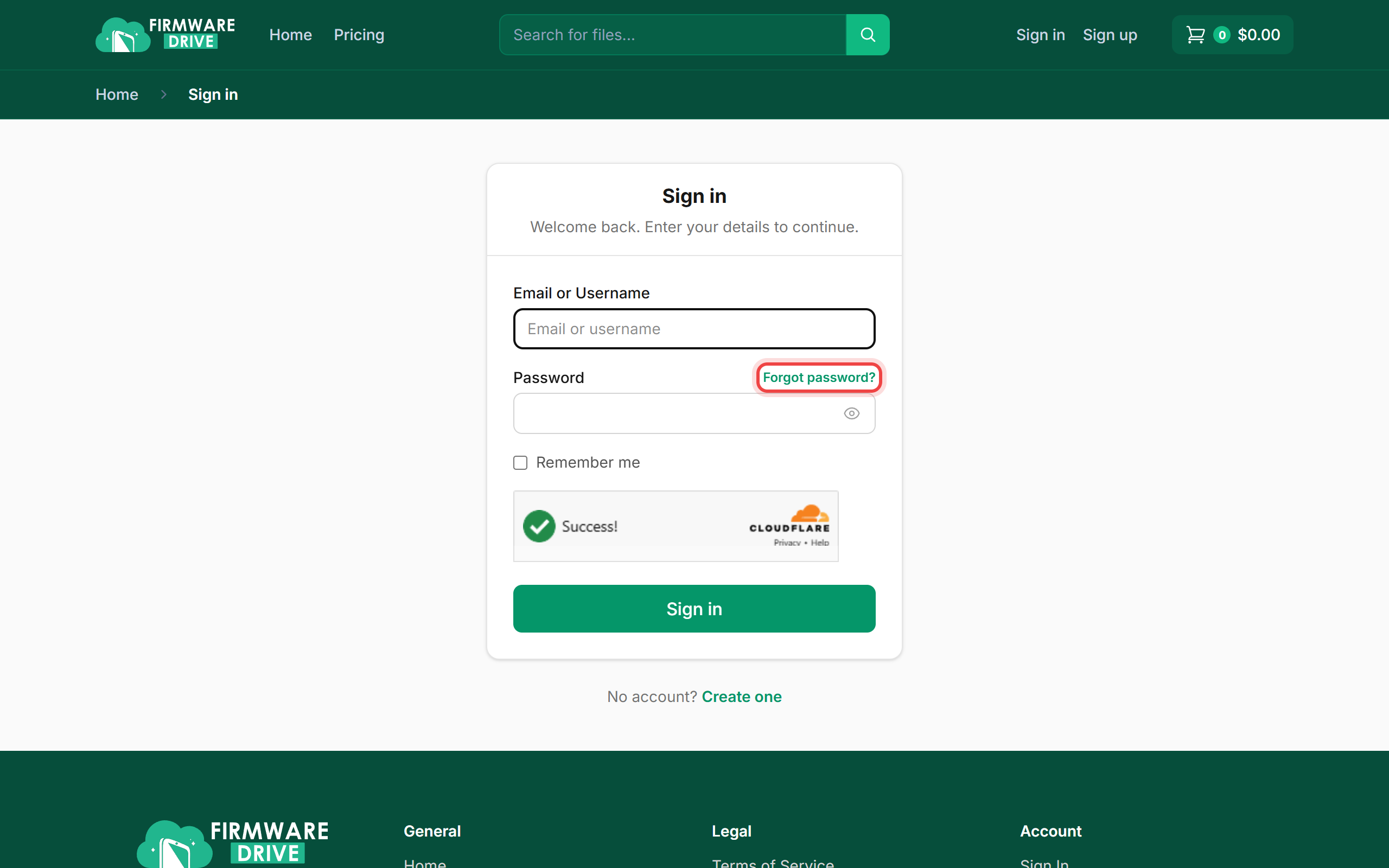
Step 1: Click Forgot password?
Open the Sign in page and click Forgot password? above the password field.
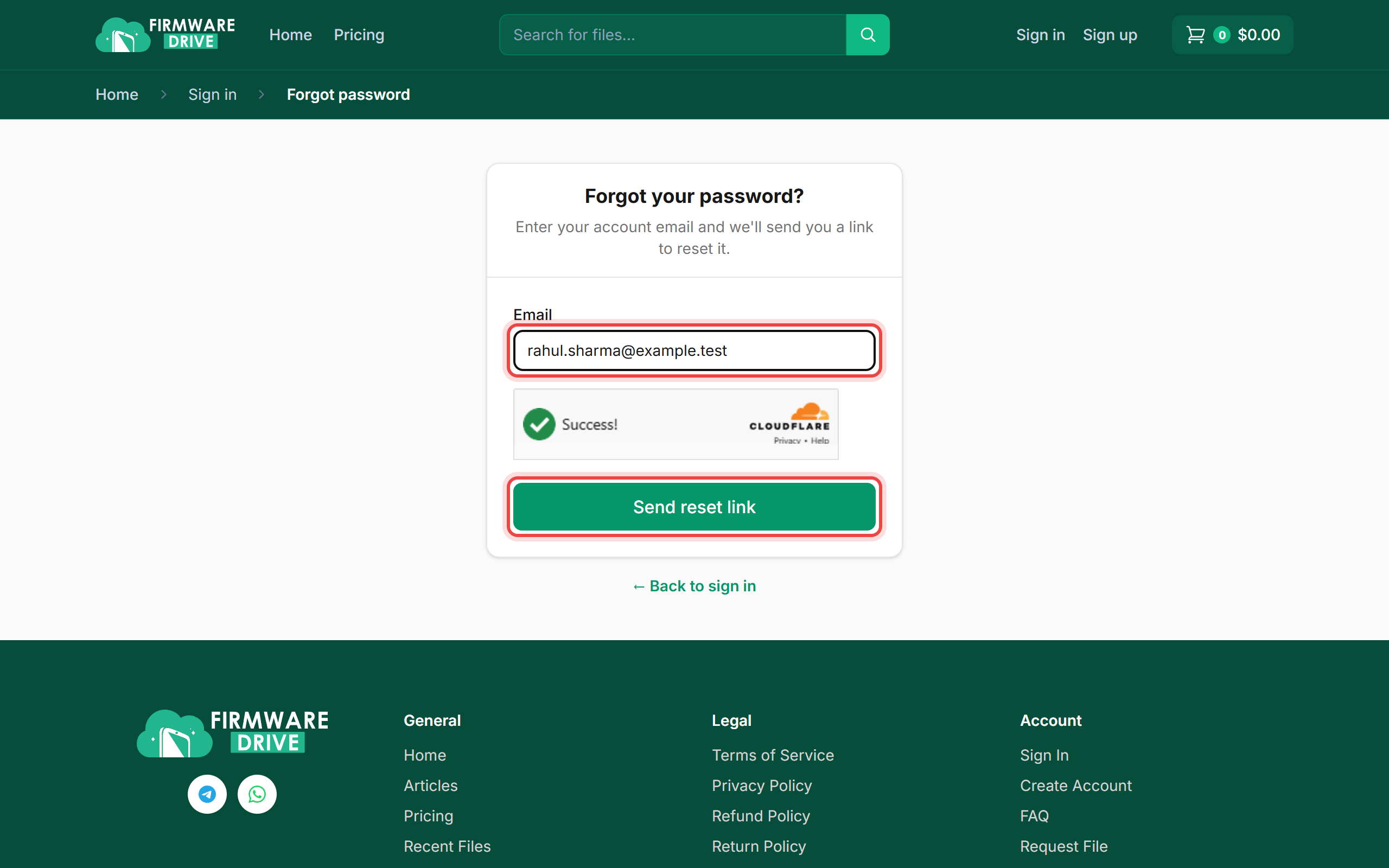
Step 2: Enter your account email
Type the email address you used to sign up, wait for the Cloudflare check, and click Send reset link.
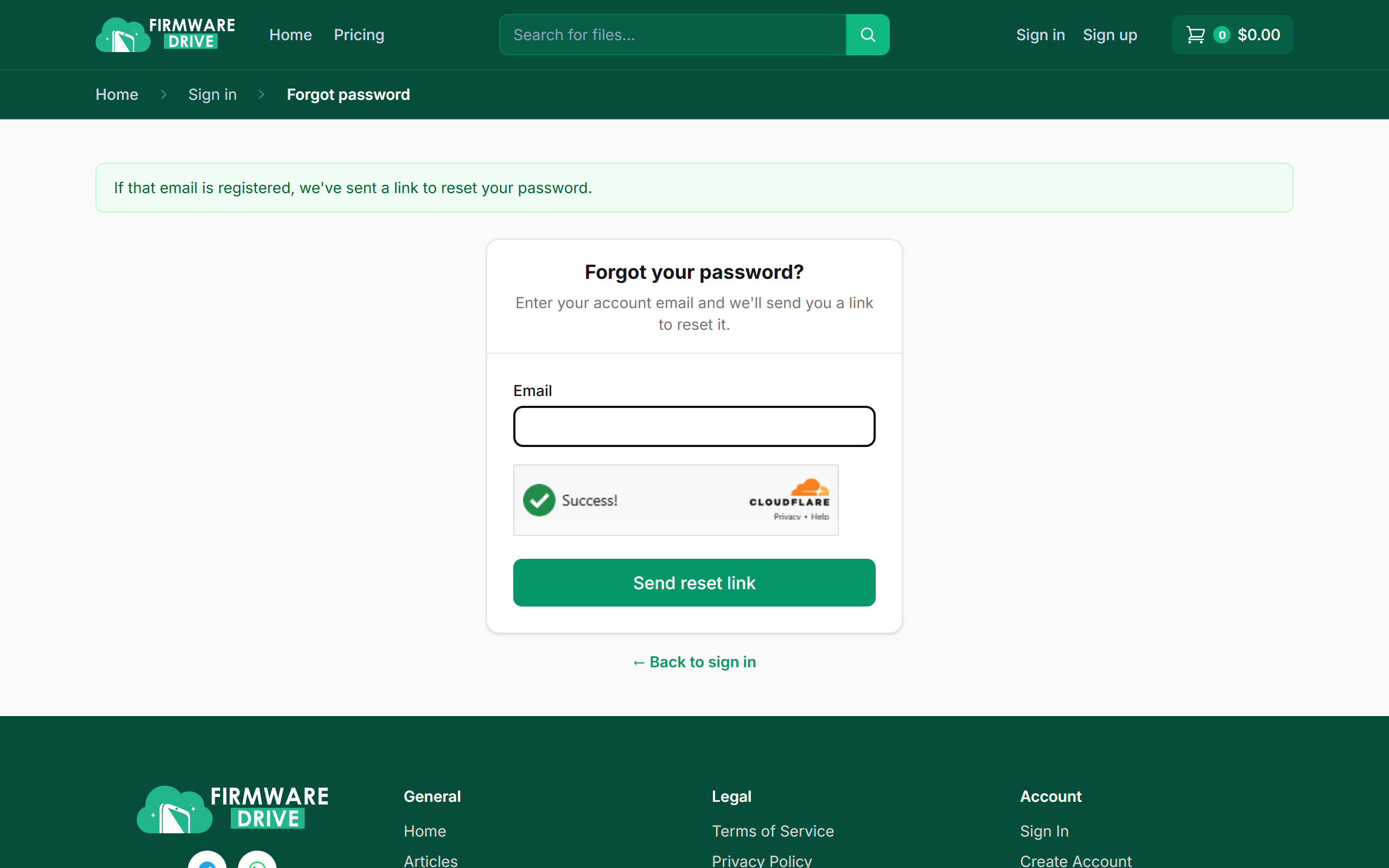
Step 3: Check your inbox
You will see a confirmation message. Open the email titled Account Password Reset Request and click the link inside. Check your Spam or Promotions folder if it is not in your inbox after a few minutes.
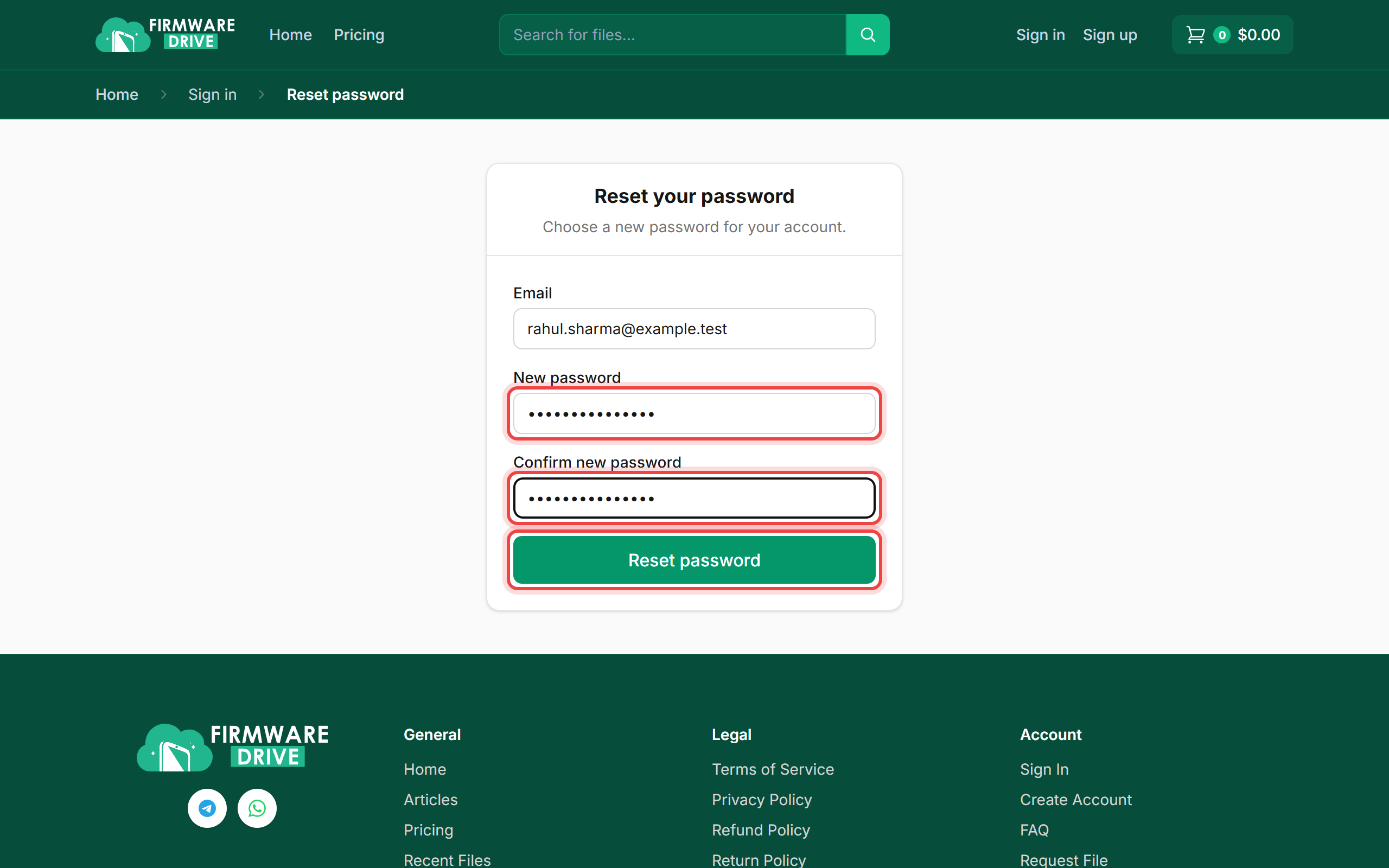
Step 4: Choose a new password
The link opens the Reset your password page with your email already filled in. Enter your new password twice and click Reset password.
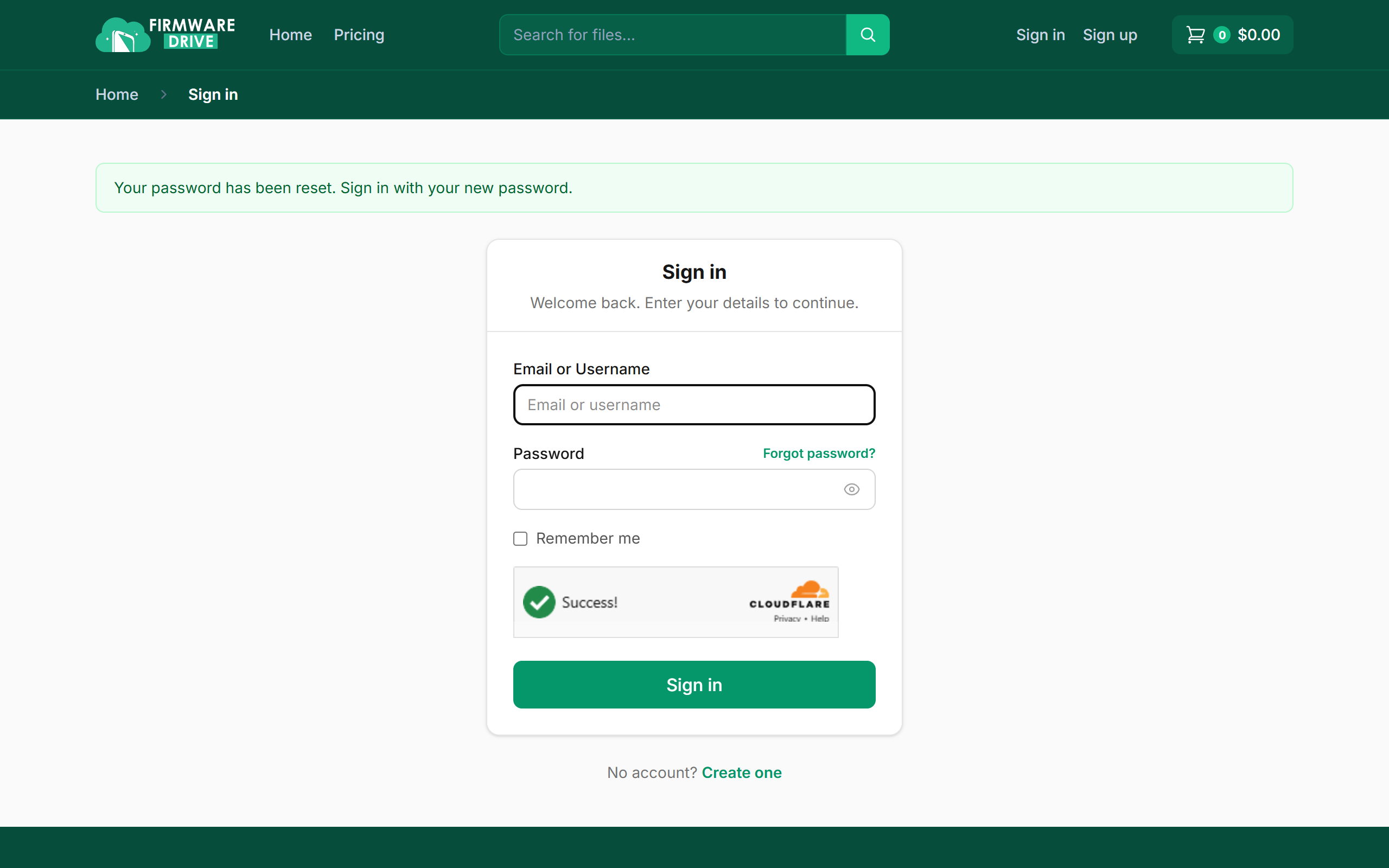
Step 5: Sign in with the new password
You are sent back to the Sign in page with the message Your password has been reset. Sign in with your new password.
Good to know
- The reset link works only once. If it has expired, request a new one.
- For your safety the page shows the same message whether or not the email is registered.
More guides: Help & Guides.