How to Buy a Download Package
Choose a plan on the Pricing page, check out, and pay with UPI, card, crypto or your wallet balance.
A download package (plan) lets you download files for a set number of days within its limits. Your plan time starts at your first download, so nothing is used up before you need it. Start it within 90 days of buying.
Step 1: Choose a plan on the Pricing page
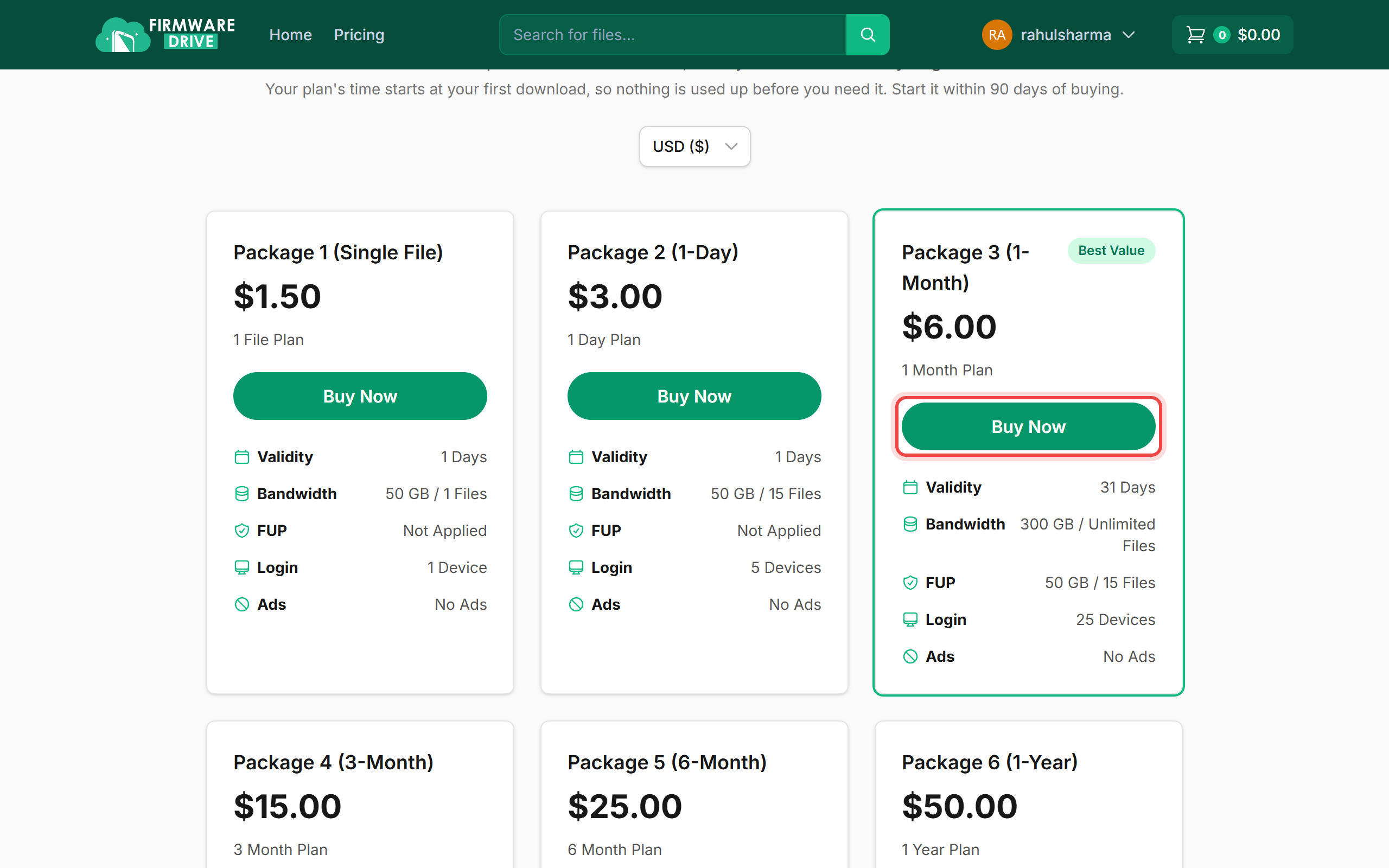
Sign in, open Pricing and compare the plans: validity, bandwidth, fair usage (FUP) and how many devices can sign in. Click Buy Now on the plan you want. You can switch the price currency with the menu above the plans.
Step 2: Check your cart
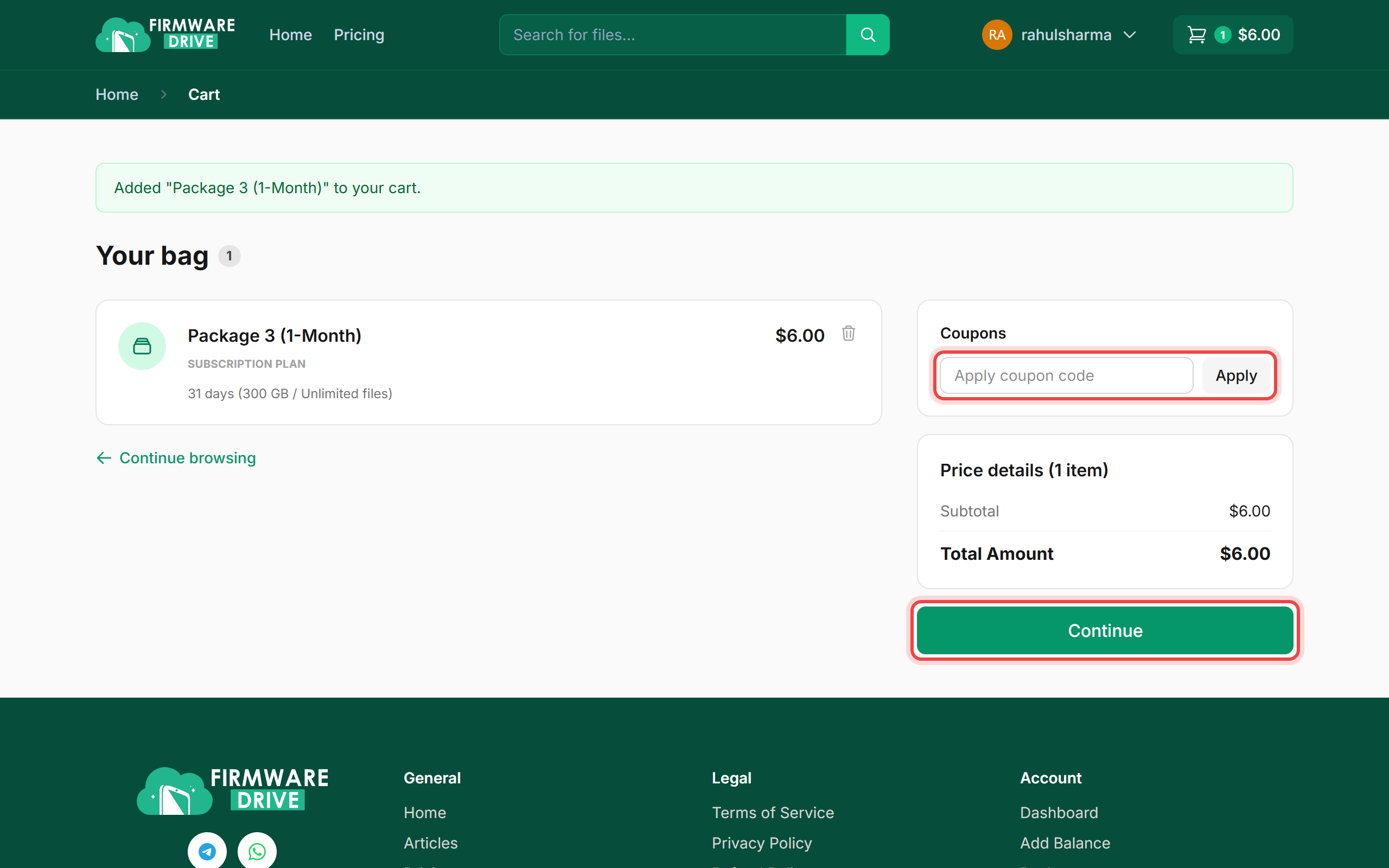
The plan is added to your bag. If you have a coupon, type it in the Coupons box and click Apply. Check the total and click Continue.
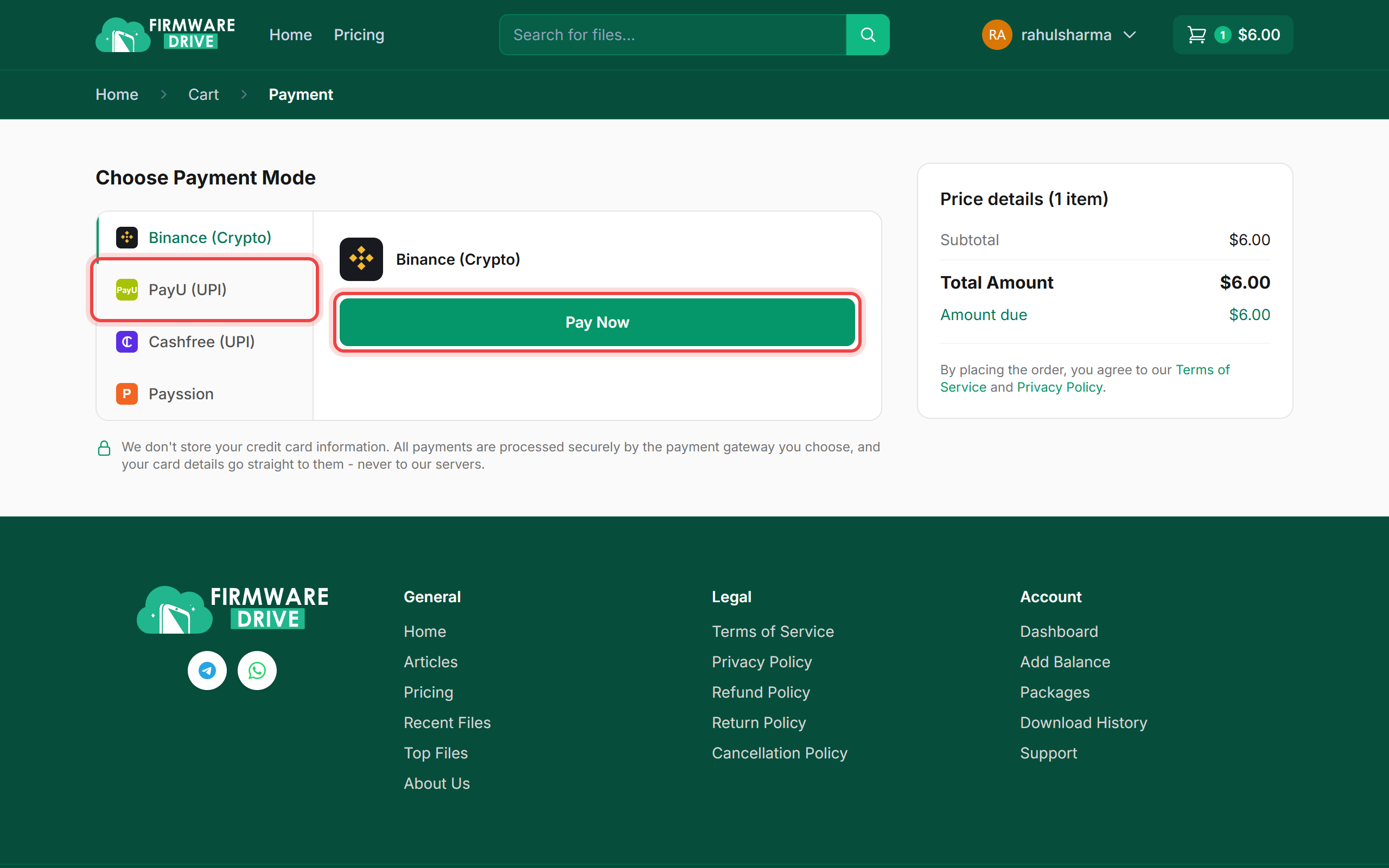
Step 3: Choose a payment method and pay
Pick a payment method on the left (for example PayU (UPI), Cashfree (UPI), Binance (Crypto) or Payssion) and click Pay Now. You are taken to the payment provider to finish the payment, then brought back to Firmware Drive. The methods you see depend on your country.
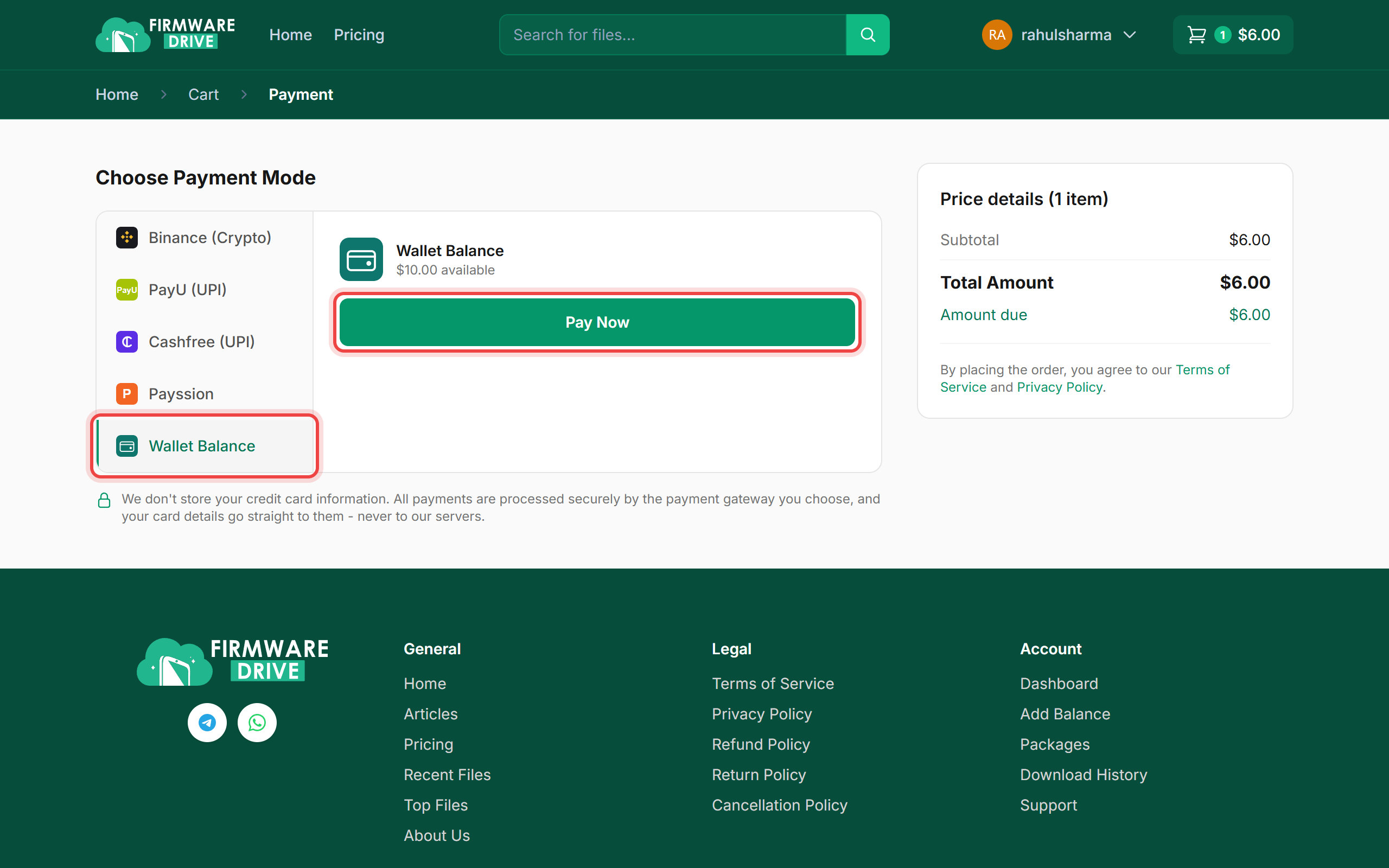
Step 4: Or pay from your wallet balance
If you have money in your wallet, a Wallet Balance option appears with the amount available. Select it and click Pay Now to pay instantly. See How to Add Balance to Your Wallet.
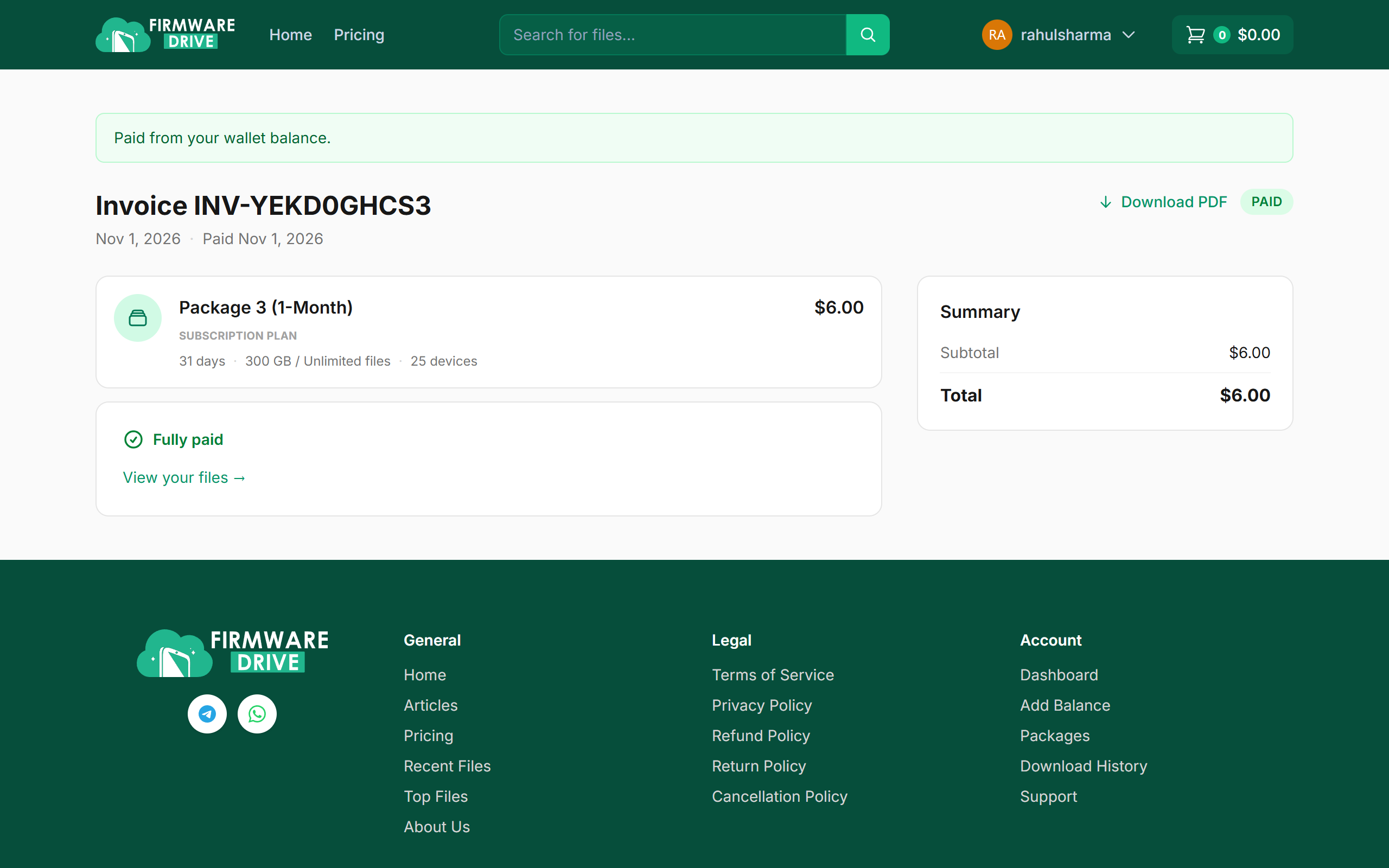
Step 5: Your invoice is paid
When the payment completes you see the invoice marked PAID. You can download a PDF copy with Download PDF.
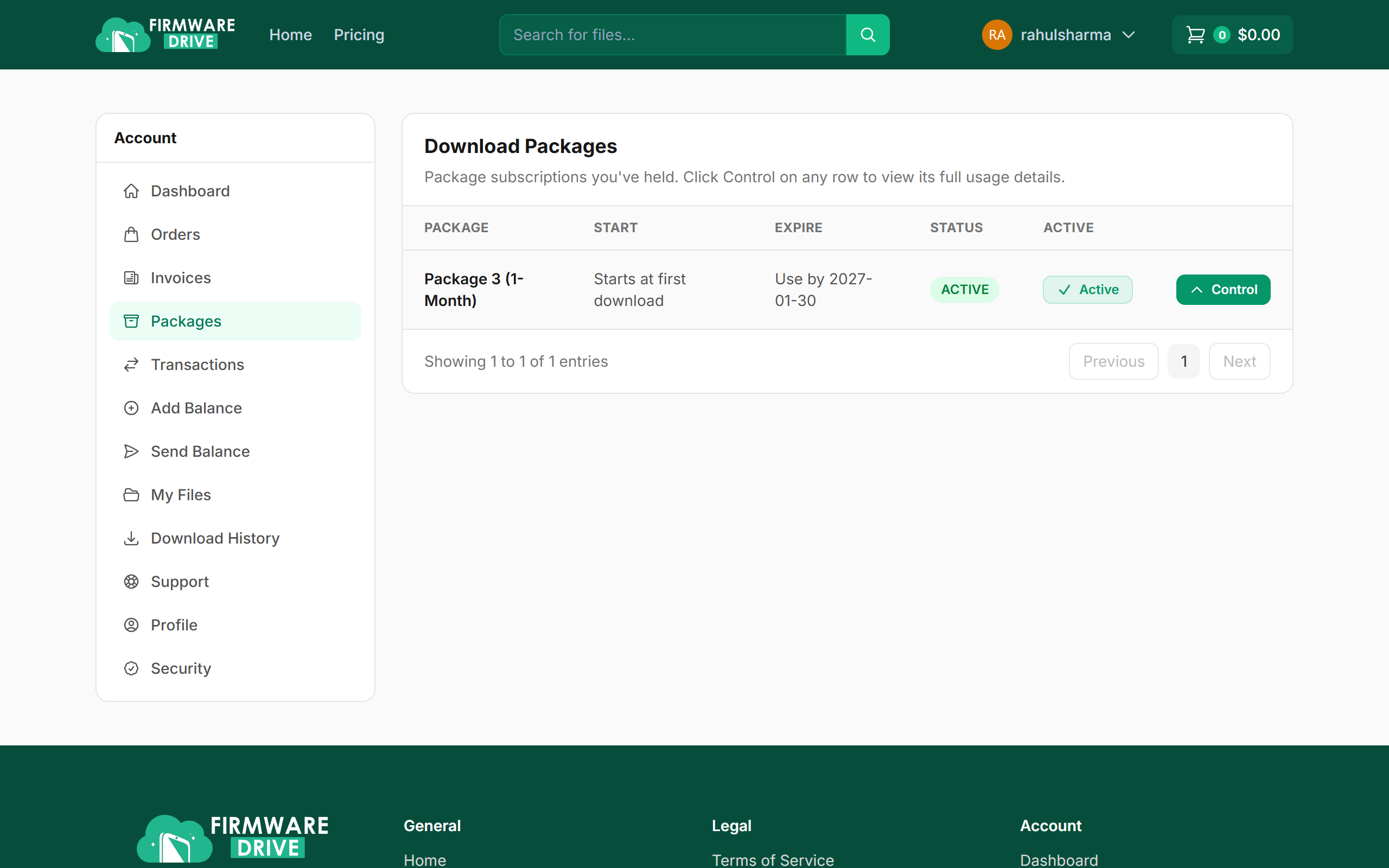
Step 6: Find your plan under Packages
Open Account > Packages. Your new plan is listed as Active, with "Starts at first download" until you download your first file.
Good to know
- Payment done but the plan is not showing? Wait a few minutes and refresh. If it still does not show, open a support ticket with your invoice number.
- Read the Refund Policy before buying.
More guides: Help & Guides.