

How to Open a Support Ticket
Contact the Firmware Drive team about payments, downloads or your account with a support ticket.
Support tickets are the fastest way to get help with an order, a download or your account. Our replies are also sent to your email.
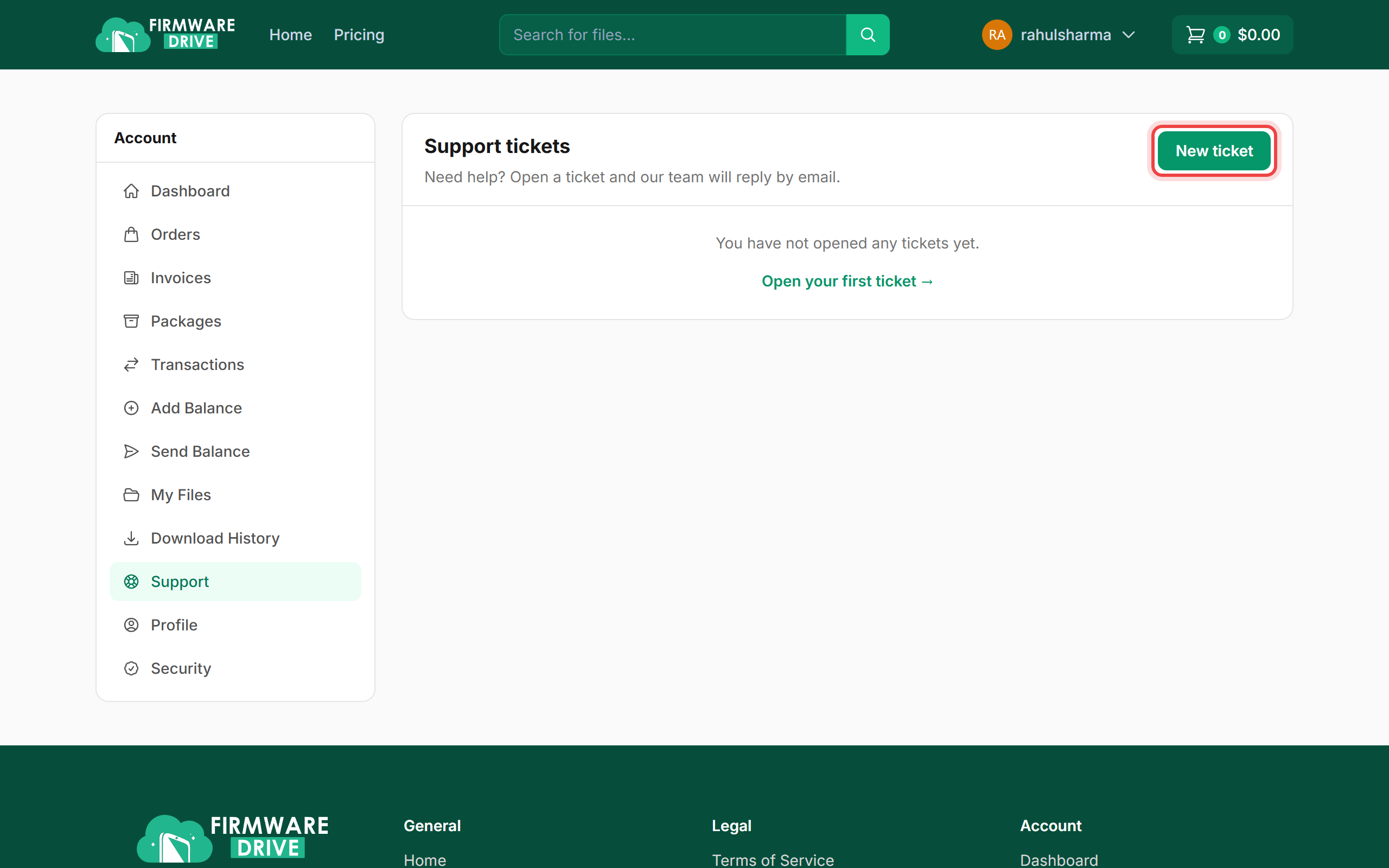
Step 1: Open Support and click New ticket
Sign in and open Account > Support. Click New ticket.
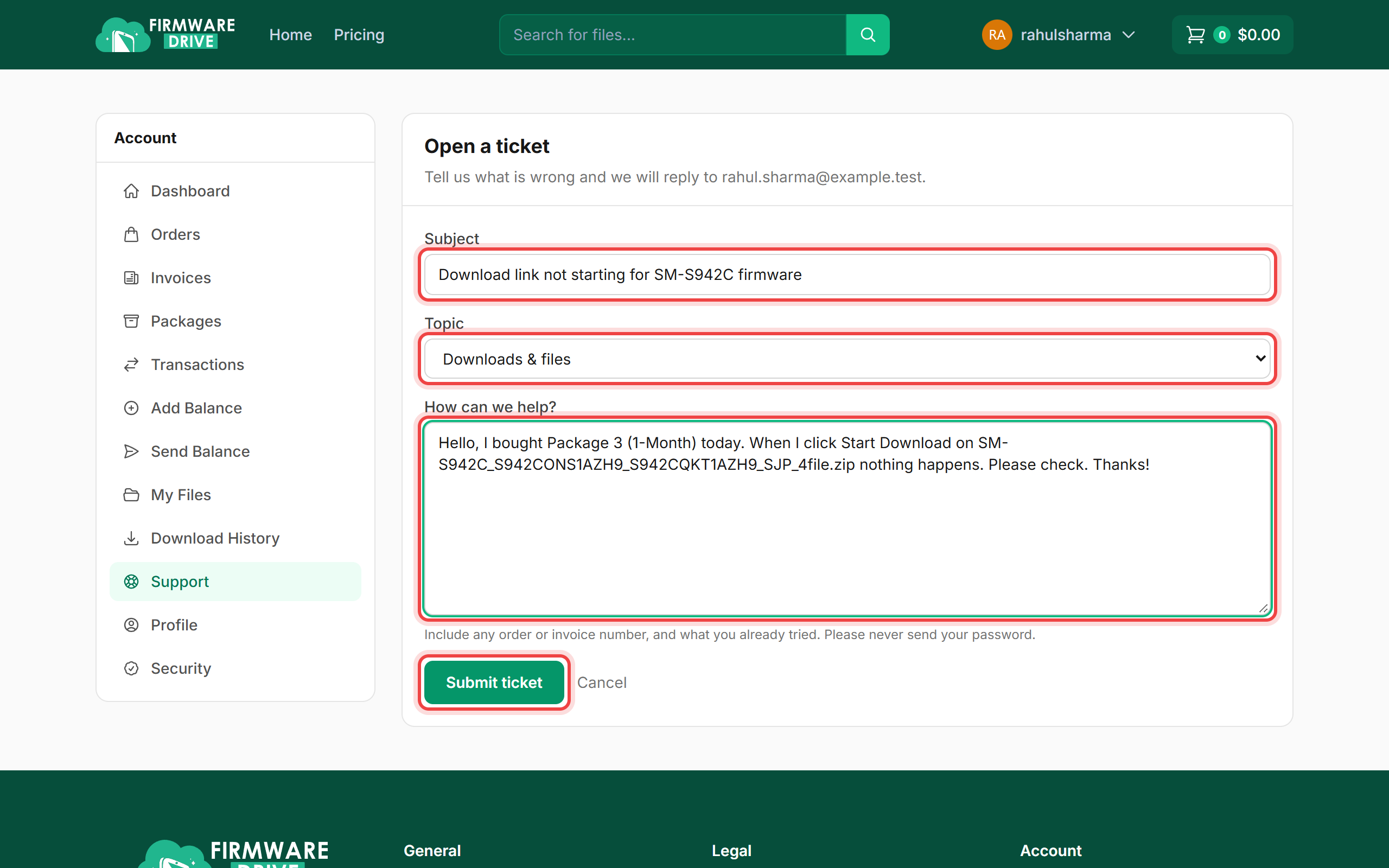
Step 2: Describe the problem
Write a short Subject, pick the Topic (General question, Billing & payments, Downloads & files, Account & login or Other) and explain the problem. Include the order or invoice number, file name and what you already tried. Click Submit ticket.
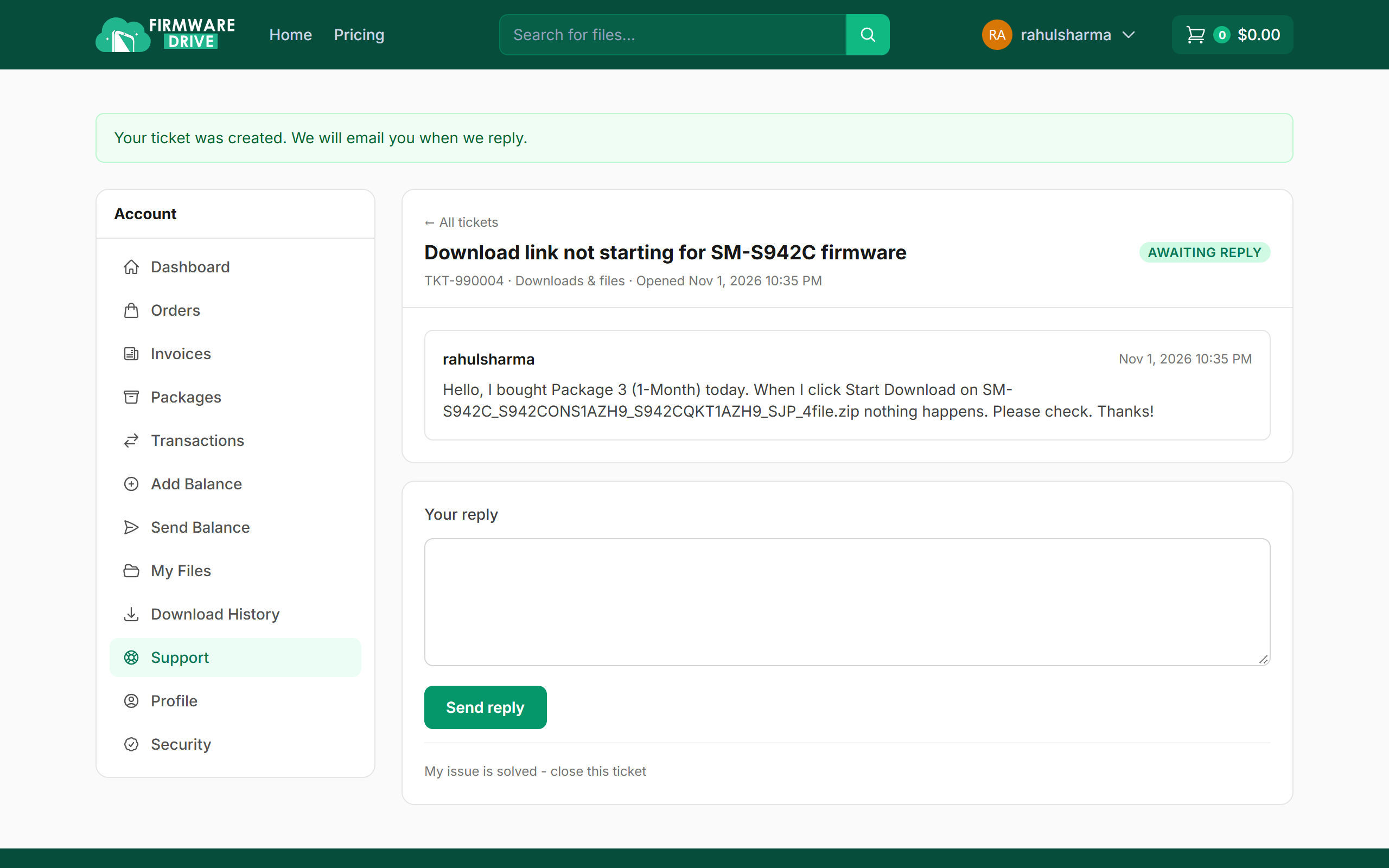
Step 3: Follow the conversation
Your ticket opens with status Awaiting reply. When we answer you get an email, and you can reply on the same page with Send reply. Once your issue is fixed, click My issue is solved - close this ticket.
Good to know
- Never send your password in a ticket. Our team will never ask for it.
- You can also reach us on Telegram or WhatsApp using the buttons at the bottom of the site.
More guides: Help & Guides.