
Help & Guides Rajesh Patel Nov 1, 2026 3 views
How to Check and Reply to a Support Ticket
Read the support team's answer, reply on the same ticket and close it when your issue is solved.
When the support team answers your ticket, you get an email and the ticket status changes to ANSWERED. Keep the whole conversation on one ticket so the team has the full history.
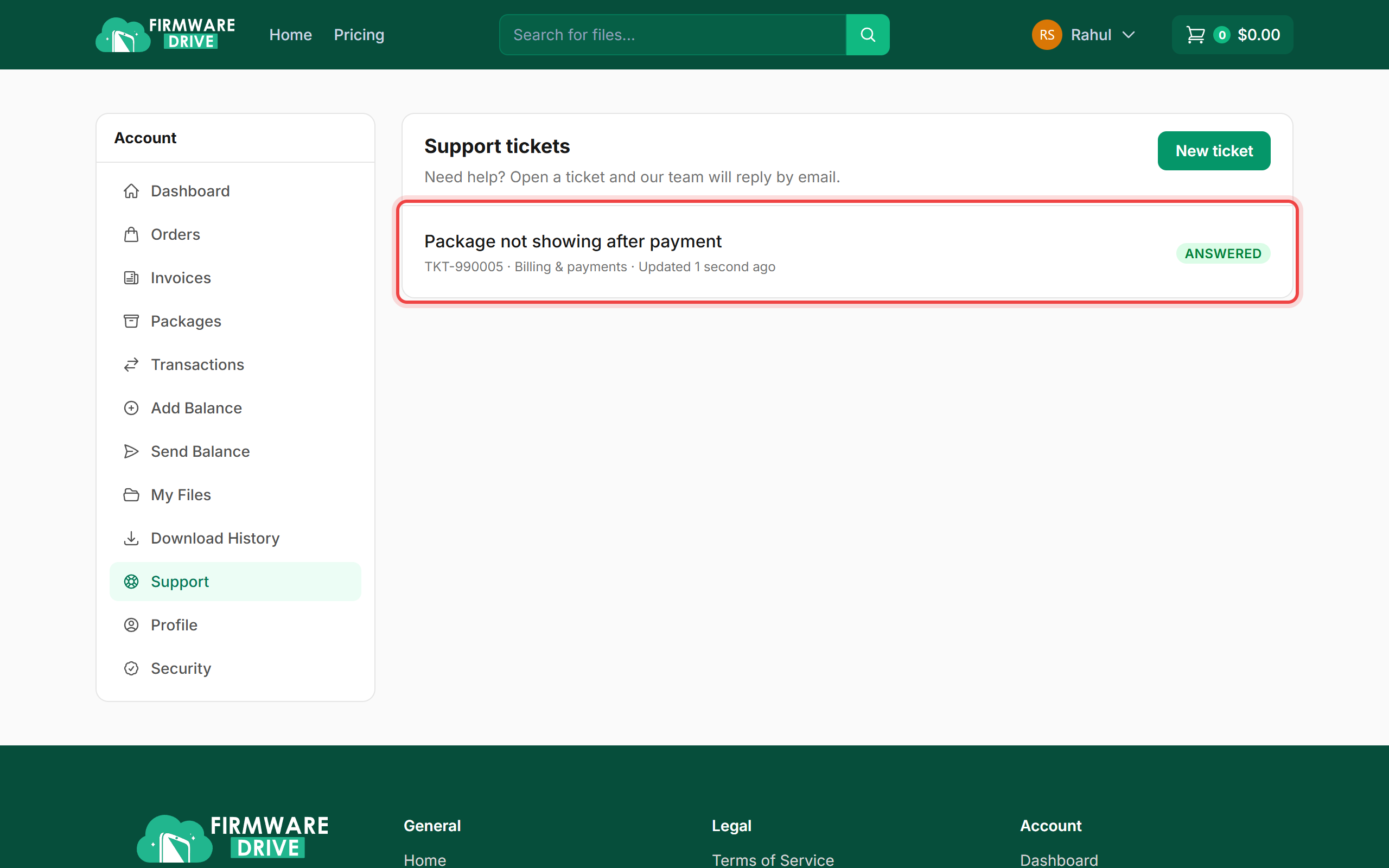
Step 1: Open your ticket
Click Support in the account menu. Your tickets are listed with their number, category and status. Click the ticket to open it.
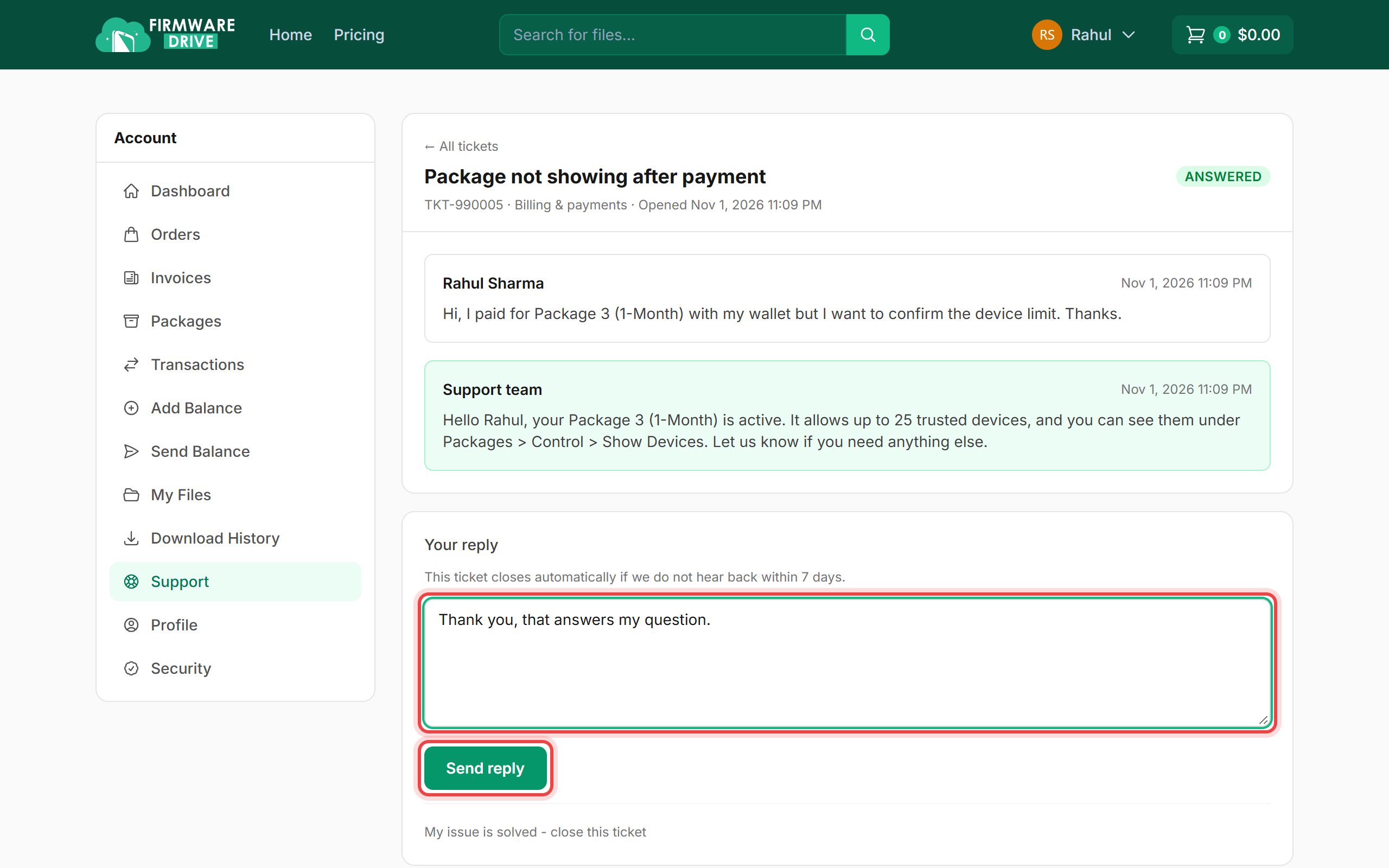
Step 2: Read the answer and reply
The conversation shows your messages and the Support team replies in green. Type your answer in Your reply and click Send reply.
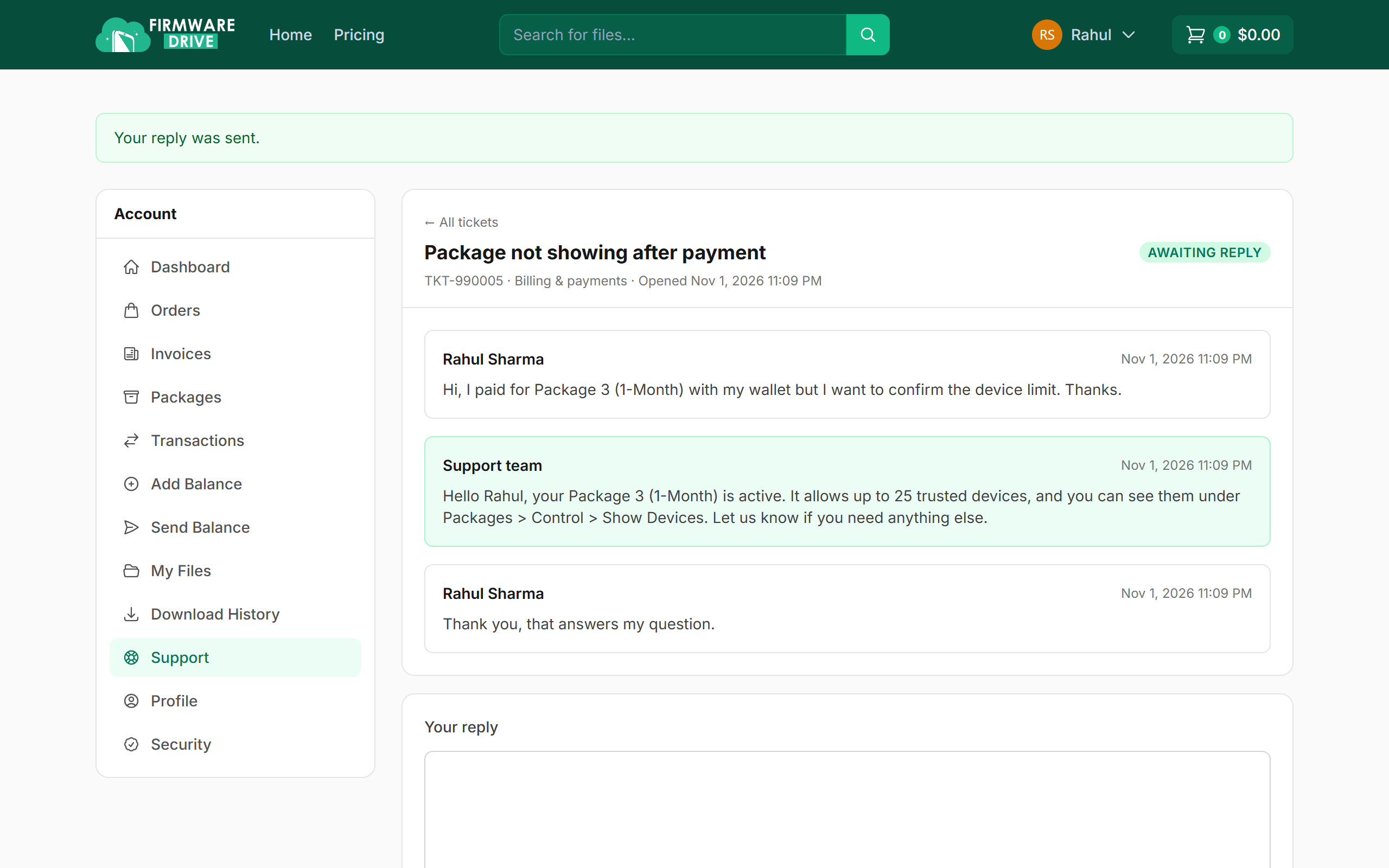
Step 3: Reply sent
You will see Your reply was sent. and the status changes to AWAITING REPLY. When your problem is fixed, click My issue is solved - close this ticket at the bottom.
Good to know
- A ticket closes automatically if there is no reply from you within 7 days of an answer. You can reopen a closed ticket from the same page.
- Need help with something new? Open a new ticket instead of reusing an old one. See How to open a support ticket.
More guides: Help & Guides.