
Help & Guides Rajesh Patel Nov 1, 2026 0 views
How to Pay With Your Wallet Balance
Use money already in your Firmware Drive wallet to buy a package instantly, with no gateway redirect.
Wallet balance is the fastest way to pay. The amount is taken from your wallet and the package is active right away. To top up first, see How to add balance to your wallet.
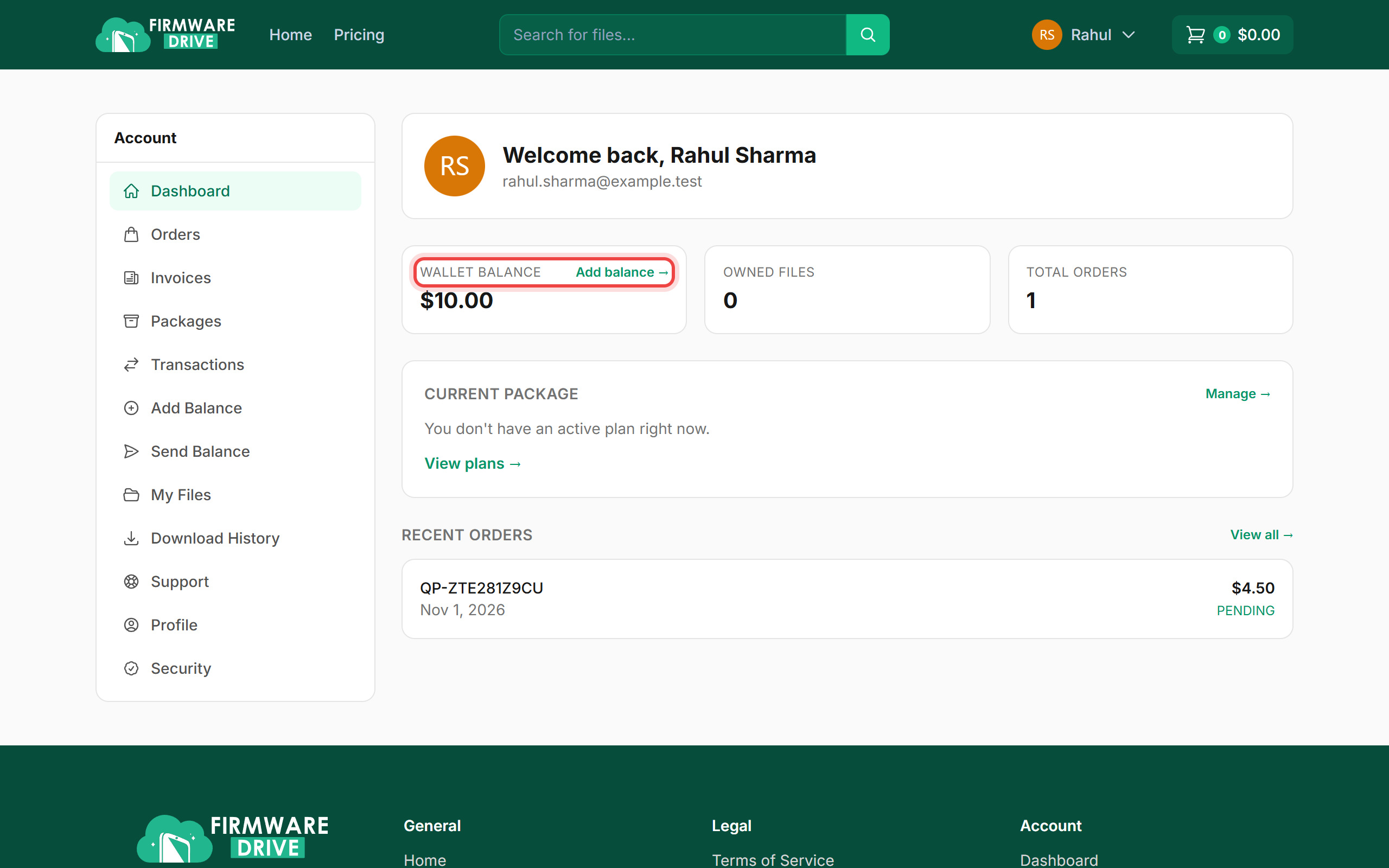
Step 1: Check your balance
Your Wallet balance is shown on the dashboard. It needs to cover the order total.
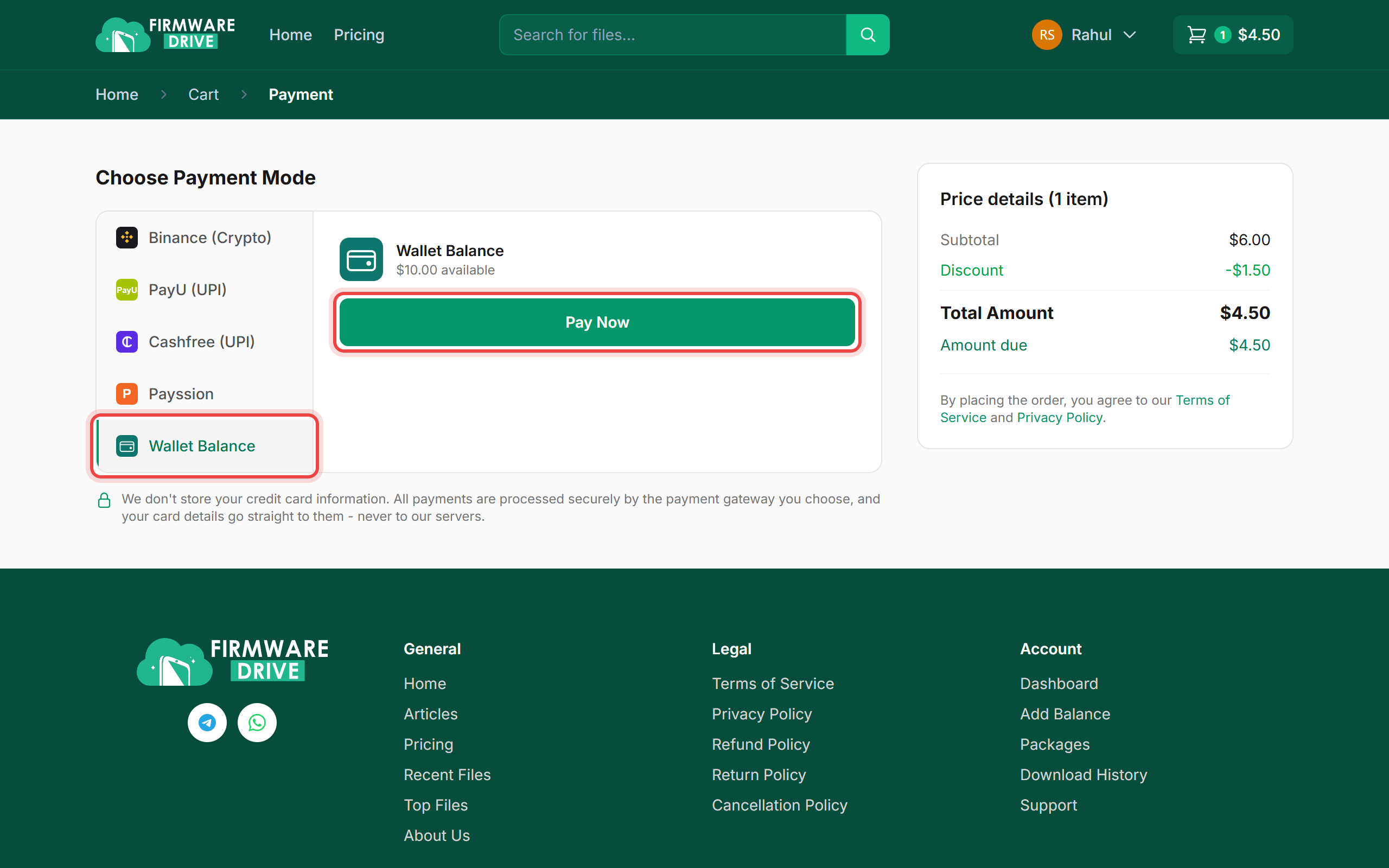
Step 2: Choose Wallet Balance at checkout
Add a package and go to the payment page. Click Wallet Balance (it shows how much you have available), then click Pay Now.
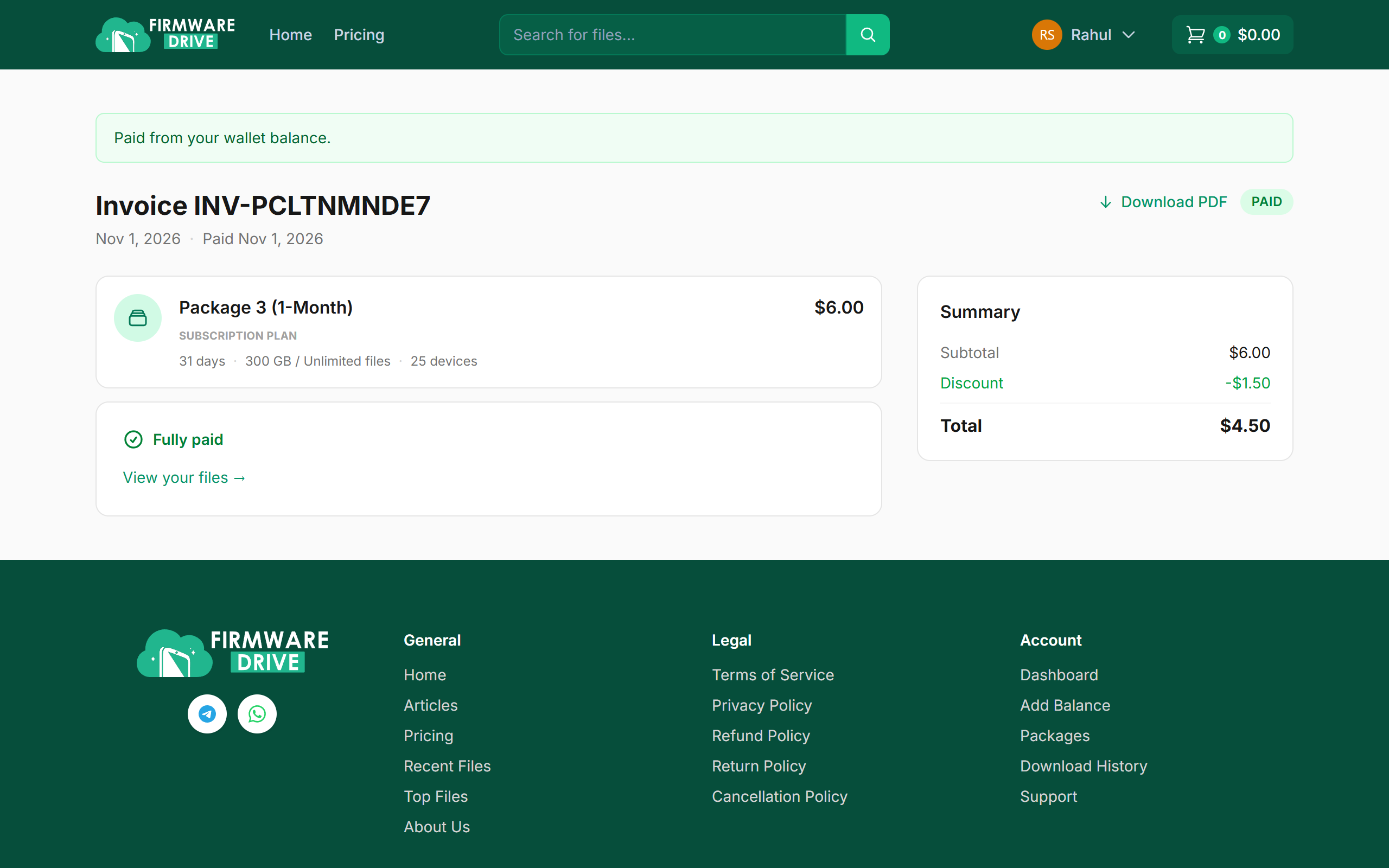
Step 3: Done: your invoice
You will see Paid from your wallet balance. with the paid invoice. The package is ready to use.
Step 4: See wallet activity
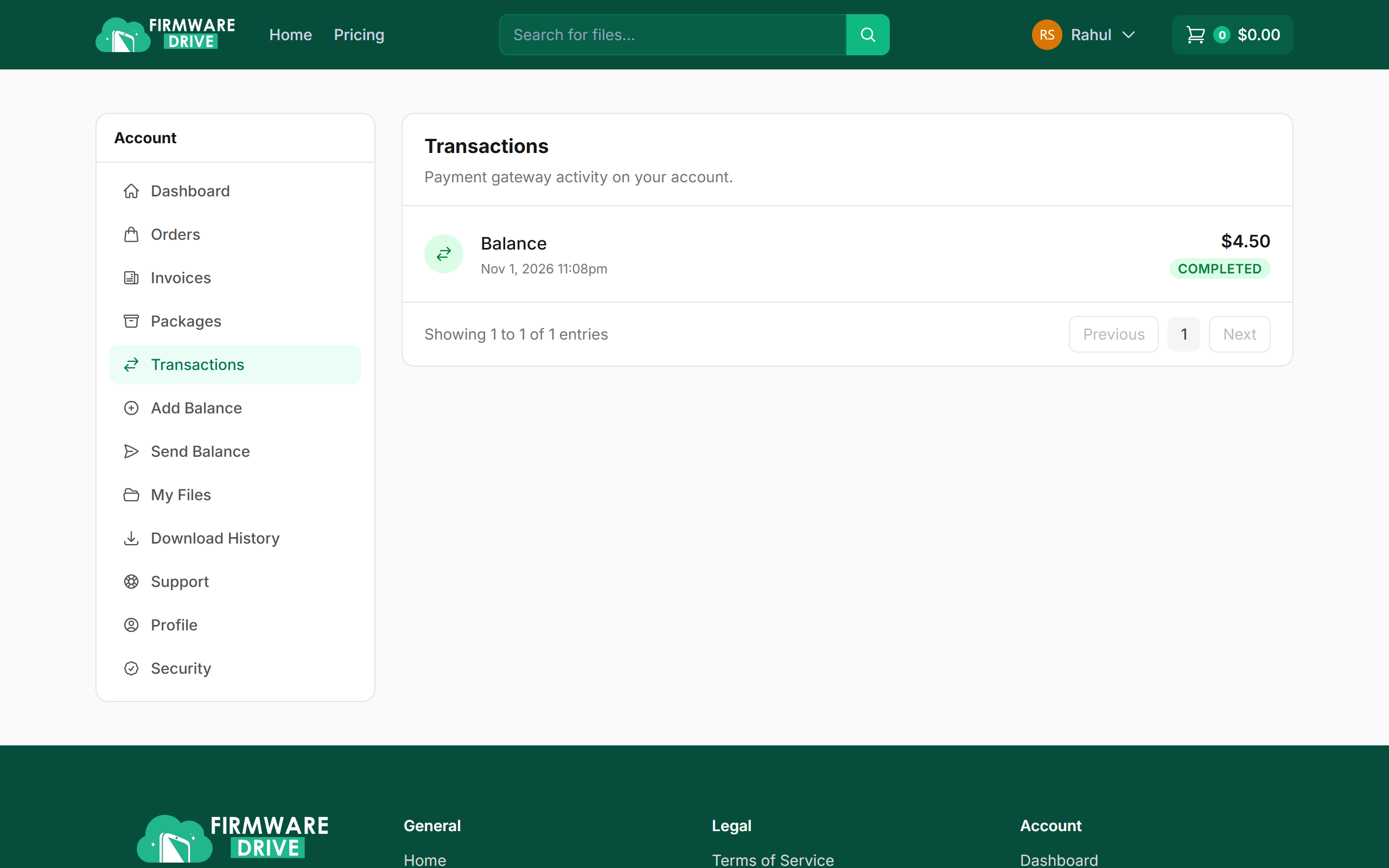
Open Transactions in the account menu to see each top-up and each payment made from your balance.
Good to know
- If Wallet Balance is missing or greyed out, top up your wallet first.
- Coupons work with wallet payments too.
More guides: Help & Guides.