

How to Find and Search Firmware Files
Use the search bar or browse brand and model folders to find the exact firmware file you need.
There are two ways to find a file: search by model number, or browse the folders by brand, series and model.
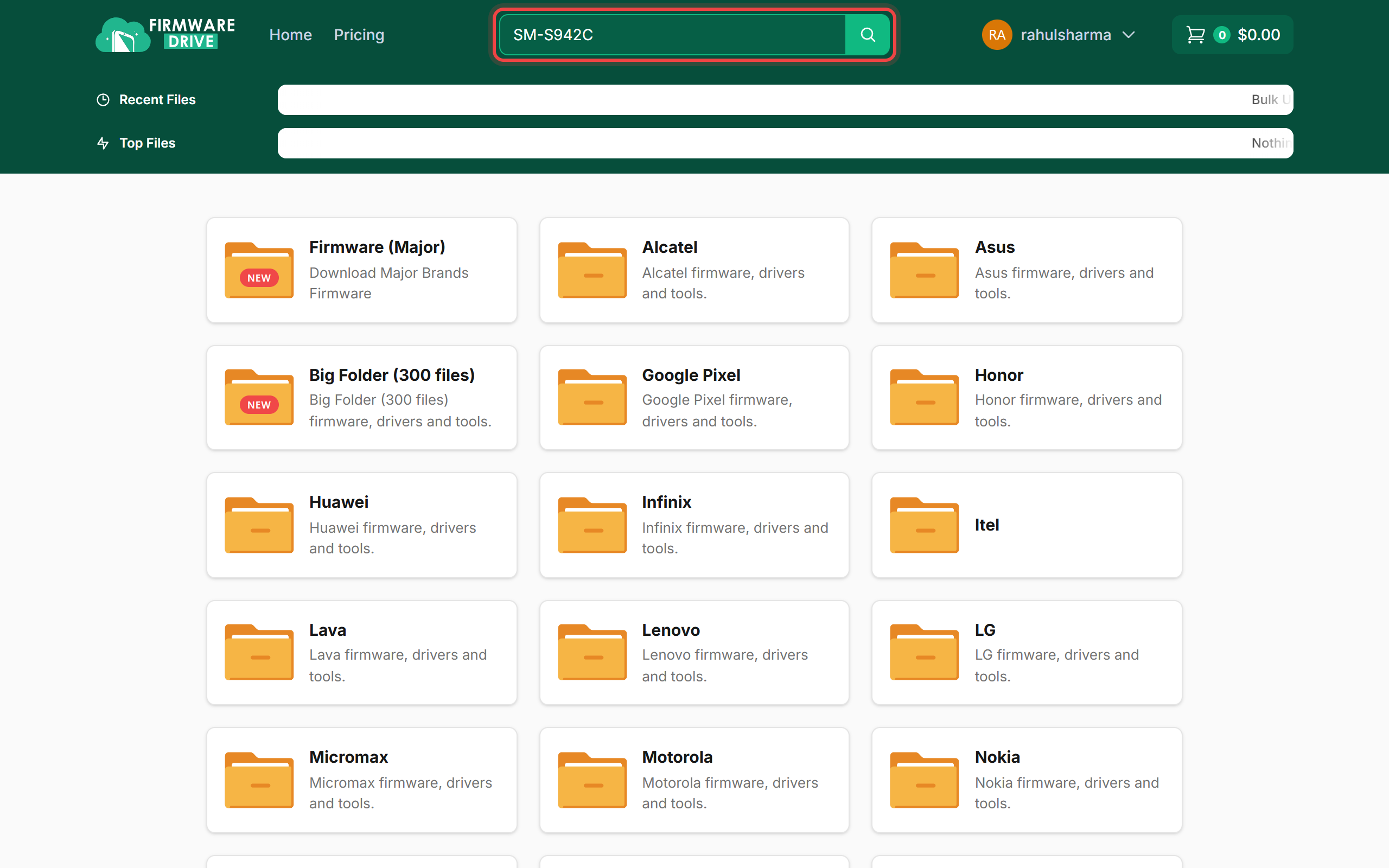
Step 1: Search by model number
Type the model number (for example SM-S942C) or a part of the file name in the Search for files... box at the top of any page, then press Enter or click the search button.
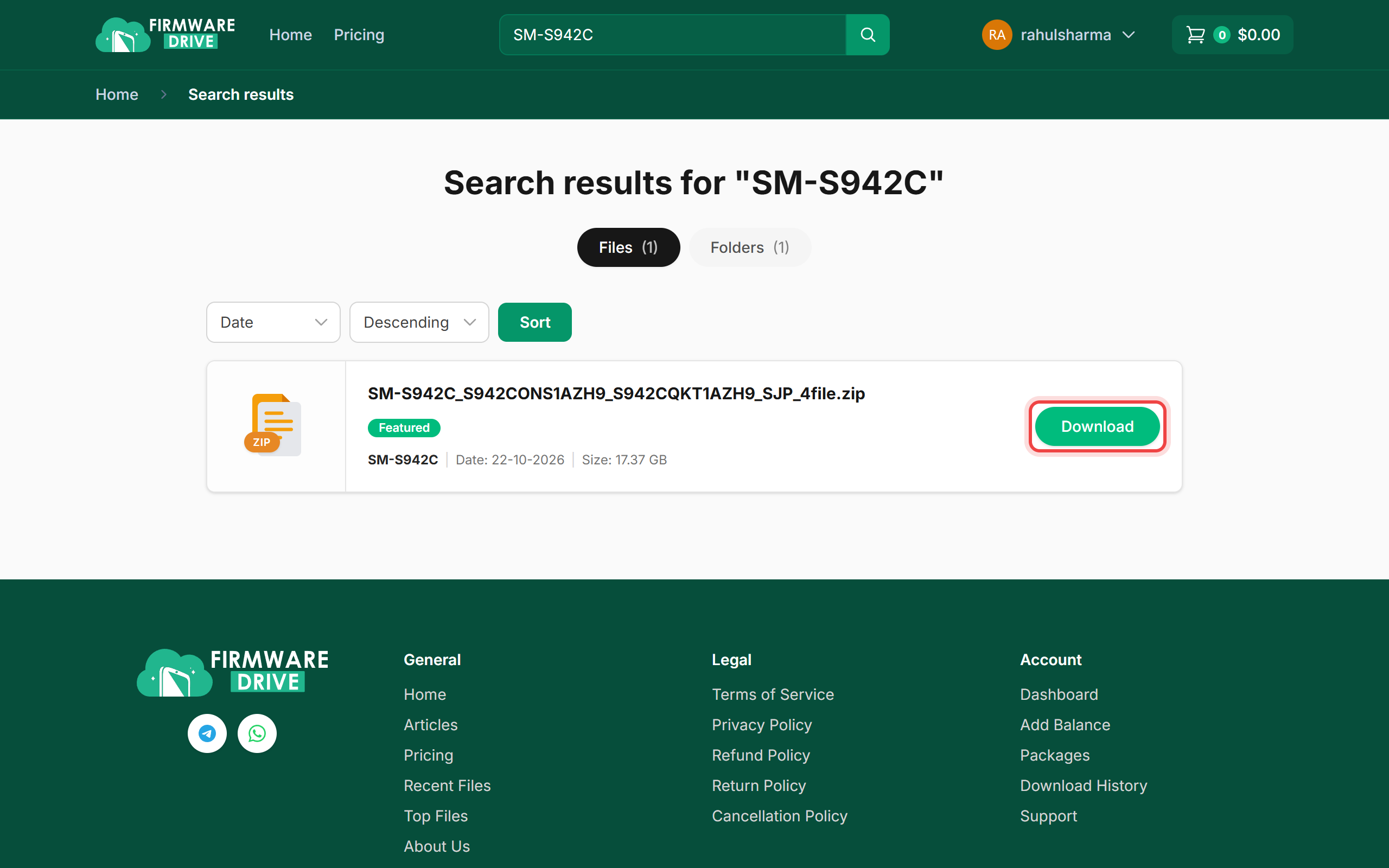
Step 2: Pick the file from the results
Results are split into Files and Folders tabs. Use the sort menus to order by date, name or size. Check the file name, date and size, then click Download or the file name to open the file page.
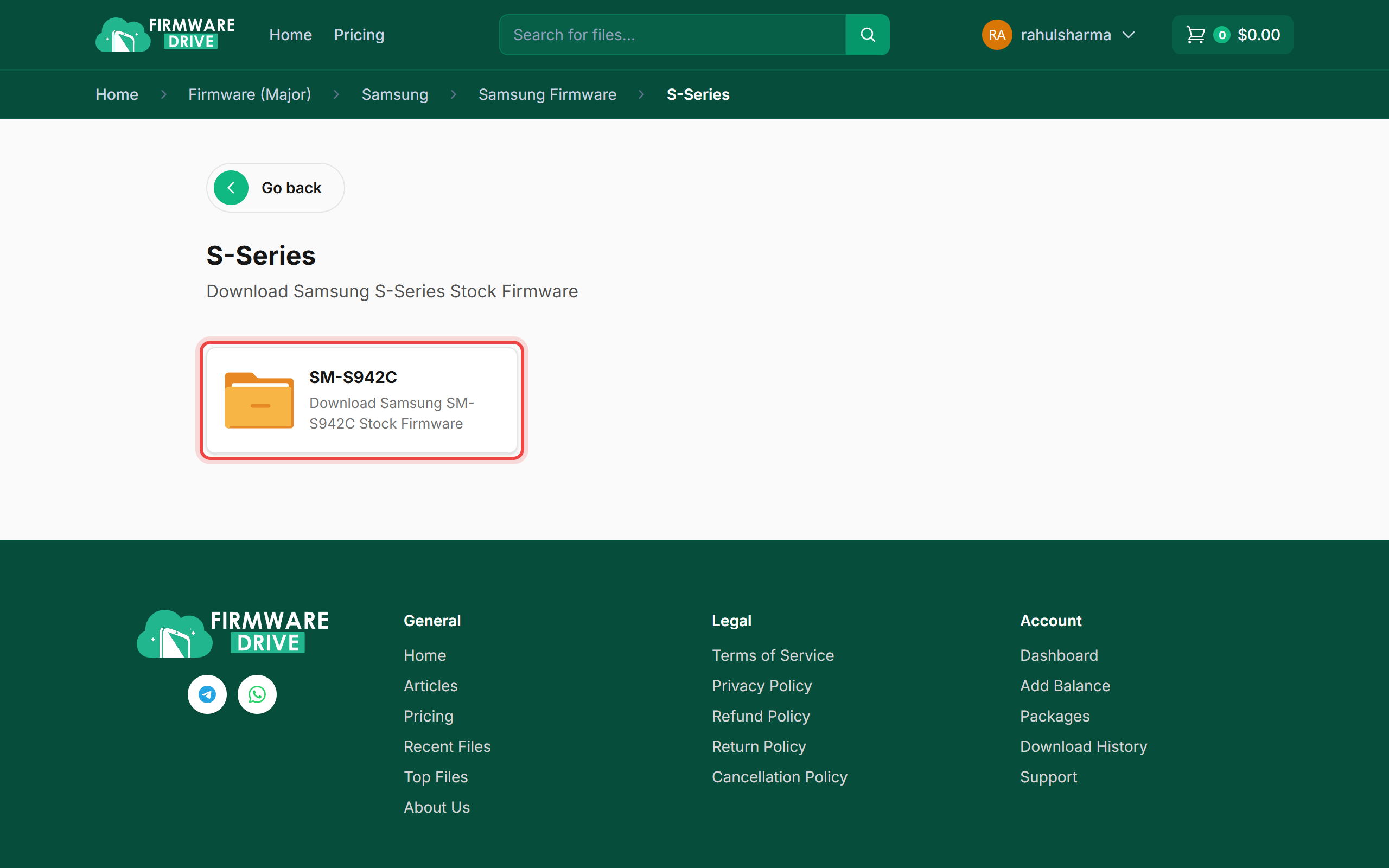
Step 3: Or browse the folders
From the home page open a brand (for example Firmware (Major) > Samsung > Samsung Firmware), then the series and the model folder. The breadcrumb bar at the top shows where you are and lets you jump back.
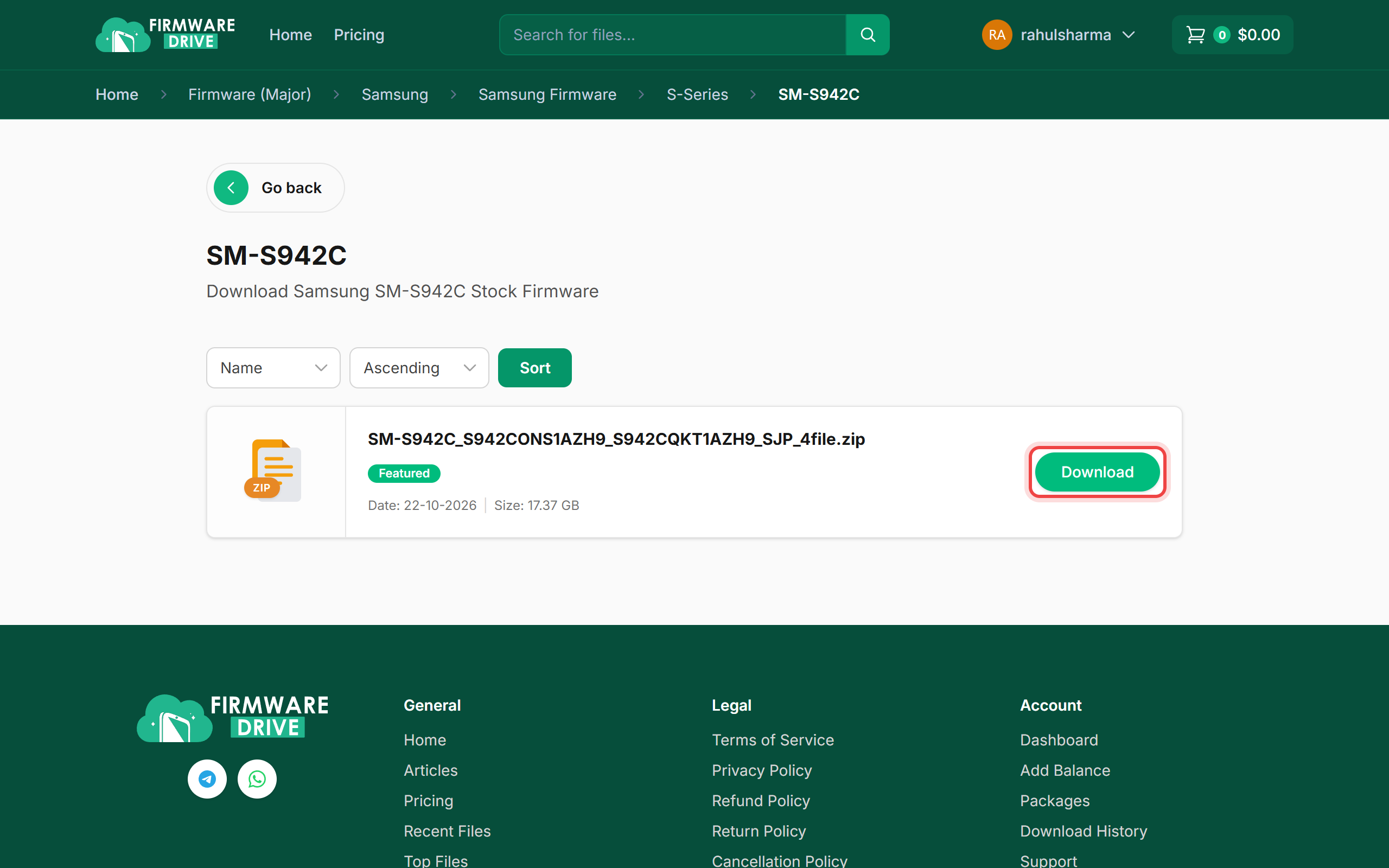
Step 4: Open the model folder
The model folder lists every file for that device. Click Download next to the one you want.
Good to know
- Search with the exact model code (SM-S942C, XT2323-6, PD2502F) for the best results.
- Do not see the file you need? Use Request File to ask our team to add it.
- Next: How to Download a File.
More guides: Help & Guides.