
How to Delete Your Firmware Drive Account
Permanently delete your account from Profile settings using a verification code sent to your email.
Deleting your account is permanent. Your access to purchased files and plans ends immediately and it cannot be undone. If you only want to stop a renewal or need help, open a support ticket first.
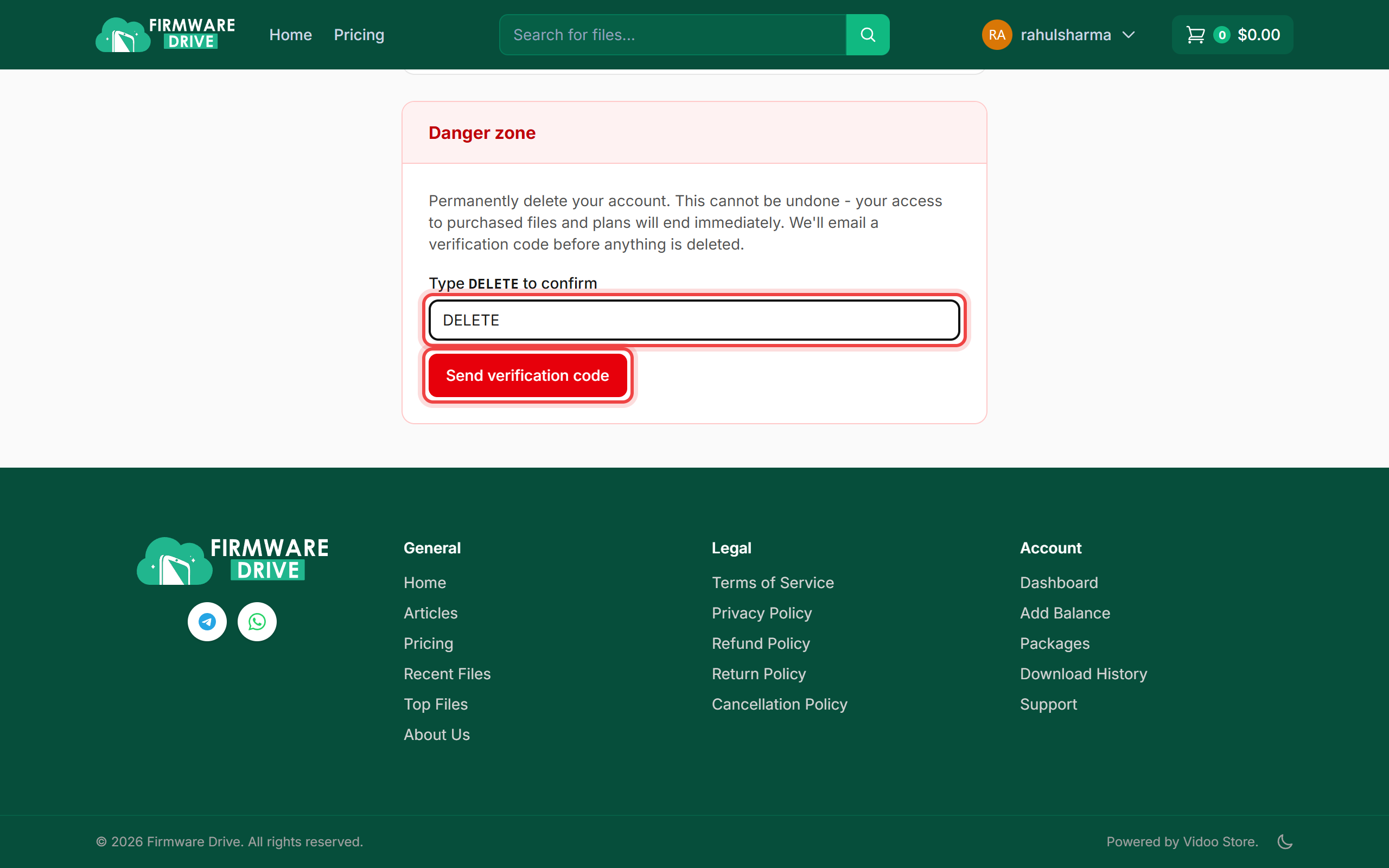
Step 1: Type DELETE in the Danger zone
Sign in and open Account > Profile. Scroll down to the red Danger zone, type DELETE in the box and click Send verification code.
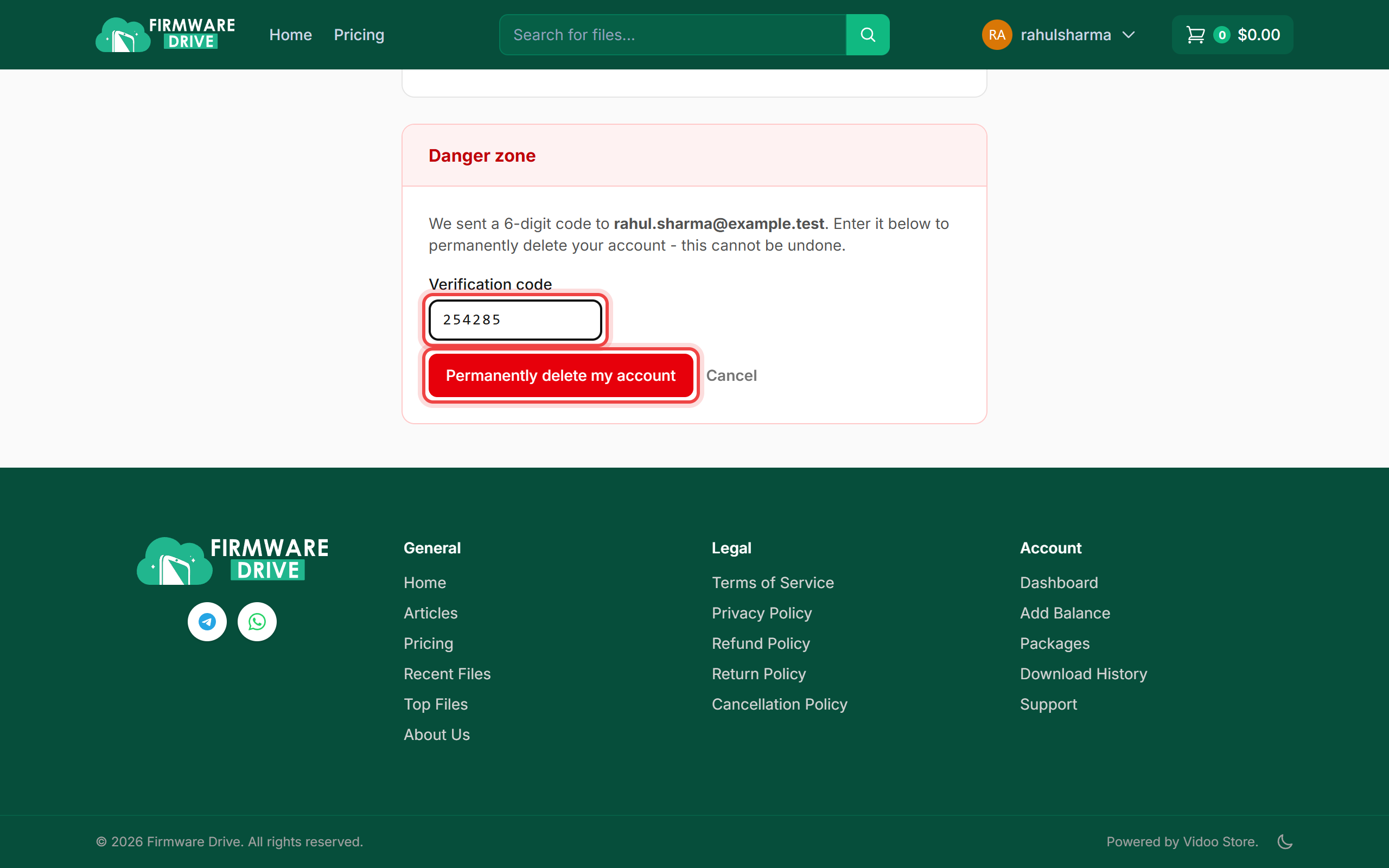
Step 2: Enter the code from your email
Check your email for Confirm account deletion and copy the 6-digit code. It expires in 10 minutes. Enter it under Verification code and click Permanently delete my account. Changed your mind? Click Cancel.
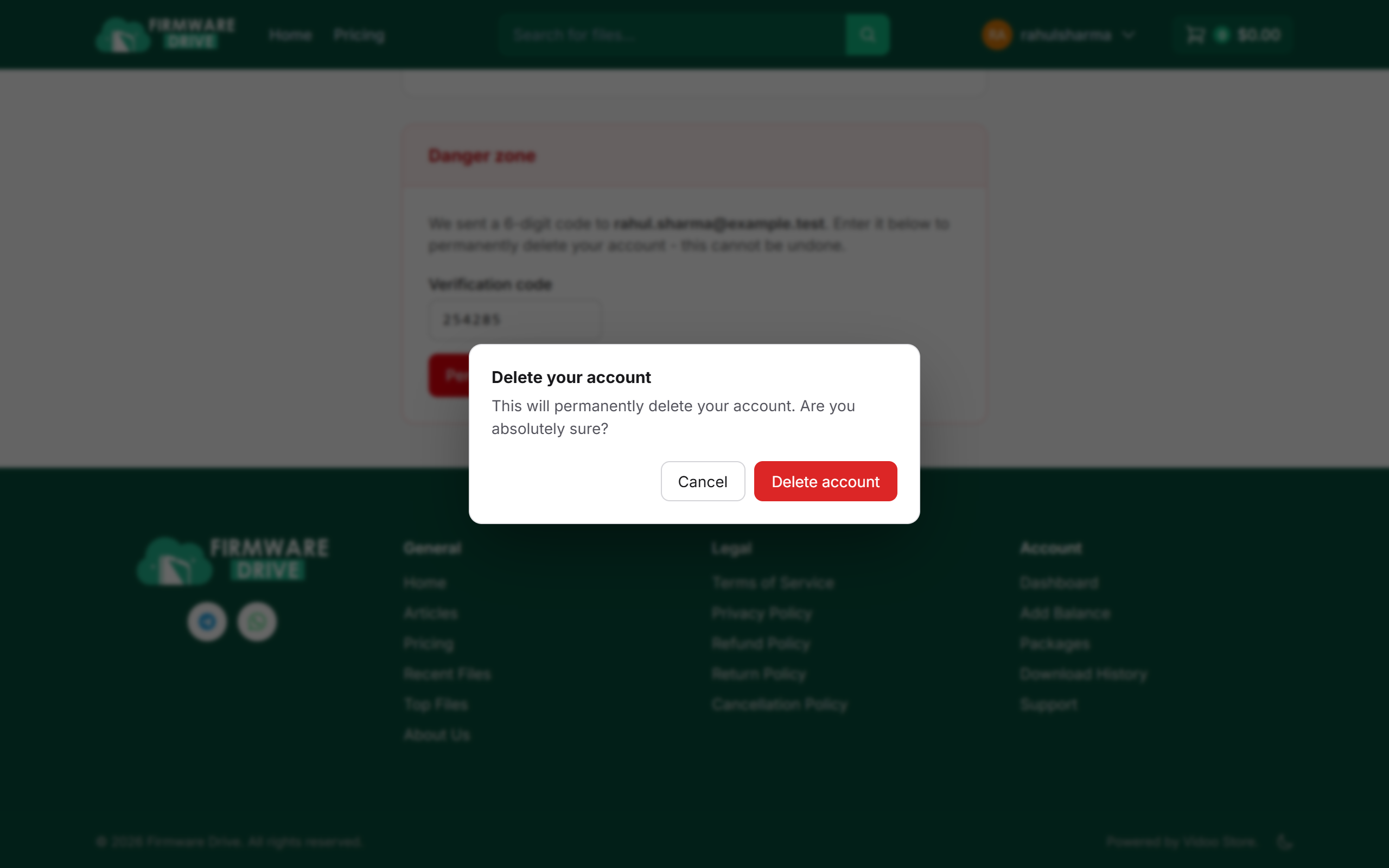
Step 3: Confirm
A final pop-up asks if you are absolutely sure. Click Delete account.
Step 4: Done
You are signed out and returned to the home page with the message Your account has been deleted.

Good to know
- Use any remaining wallet balance or active plan before deleting, since both are lost.
- Did not get the code? Check Spam, or cancel and send a new one.
More guides: Help & Guides.