
Help & Guides Rajesh Patel Nov 1, 2026 3 views
Download Packages Explained: Limits, Validity and Which One to Pick
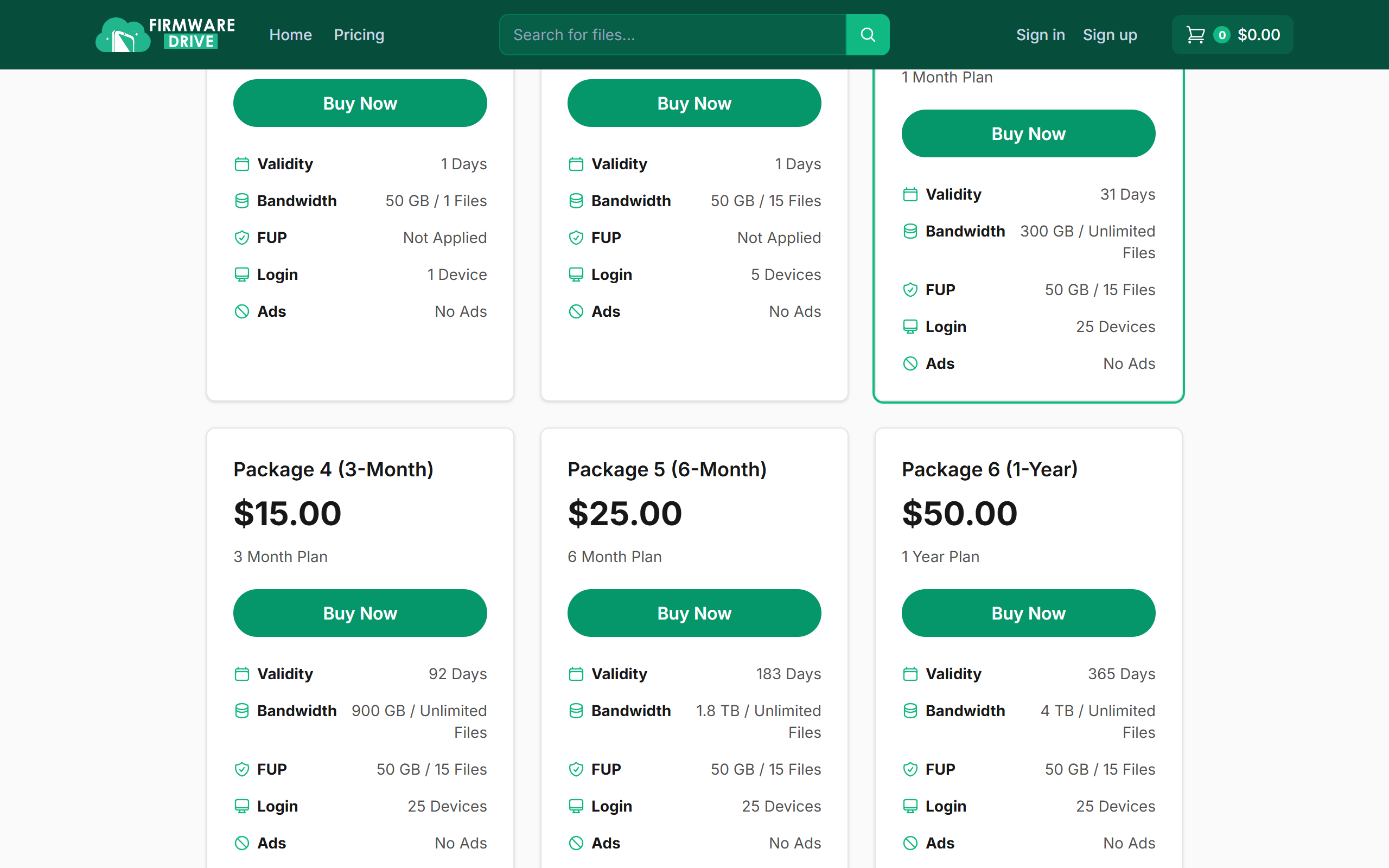
What Validity, Bandwidth, FUP and Login mean on each package, and how to choose the right plan.
Every package on the Pricing page lists the same few limits. Here is what each one means, so you can pick the plan that fits how many files you need.
Step 1: Open the Pricing page
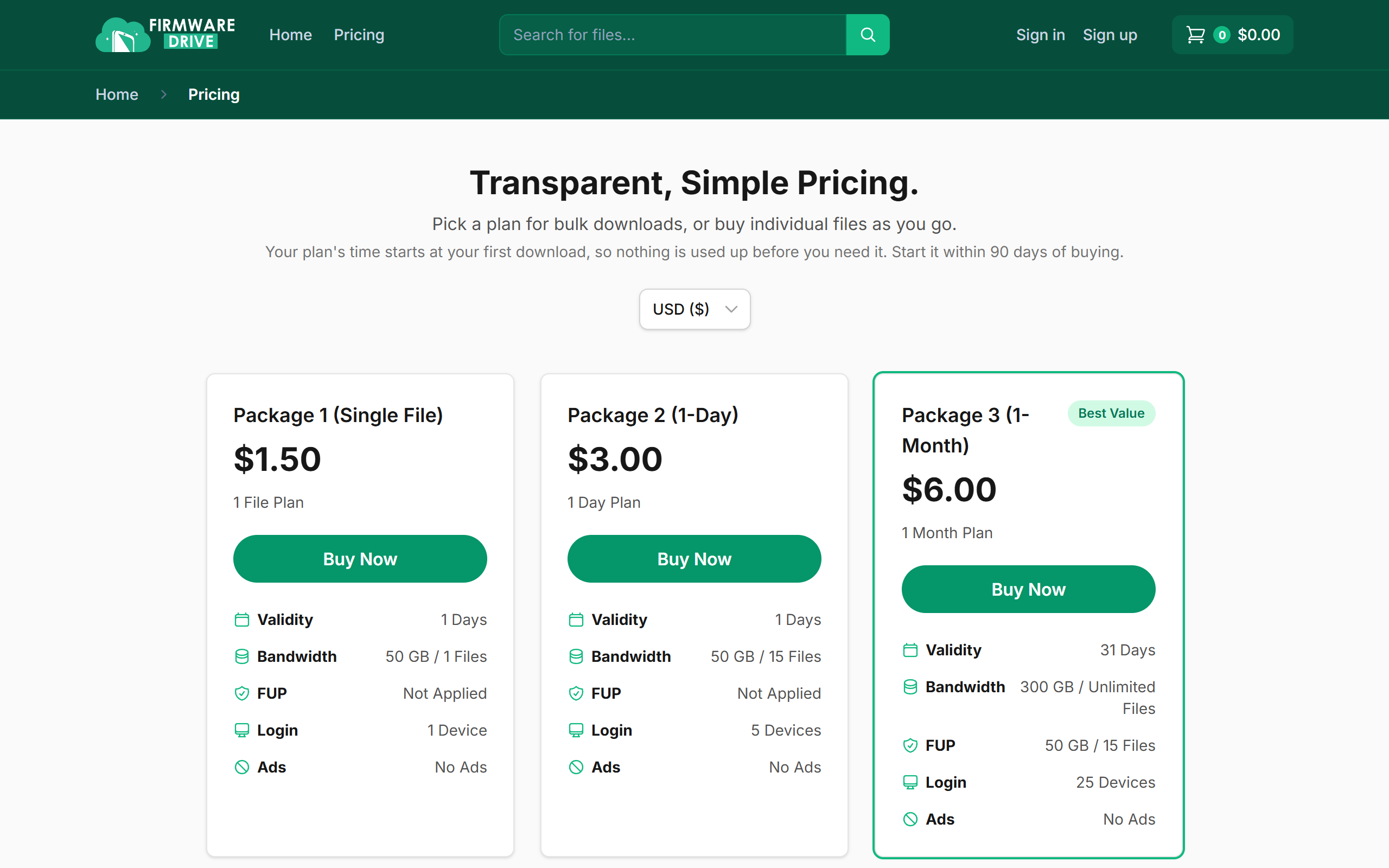
Go to Pricing. A plan's time does not start when you buy it. It starts at your first download, and you have 90 days after buying to start it. You can switch the currency with the selector at the top.
Step 2: Read the limits on each card
Each card lists:
- Validity: how many days the plan stays active after your first download.
- Bandwidth: the total data and number of files you can download in that time. "Unlimited Files" means only the data cap applies.
- FUP (fair usage): an extra allowance, for example 50 GB / 15 files, that you can still use after the main bandwidth runs out.
- Login: how many computers or phones can use the plan. Each one is added the first time you download on it.
- Ads: paid plans show no ads.
Step 3: Track your usage after buying
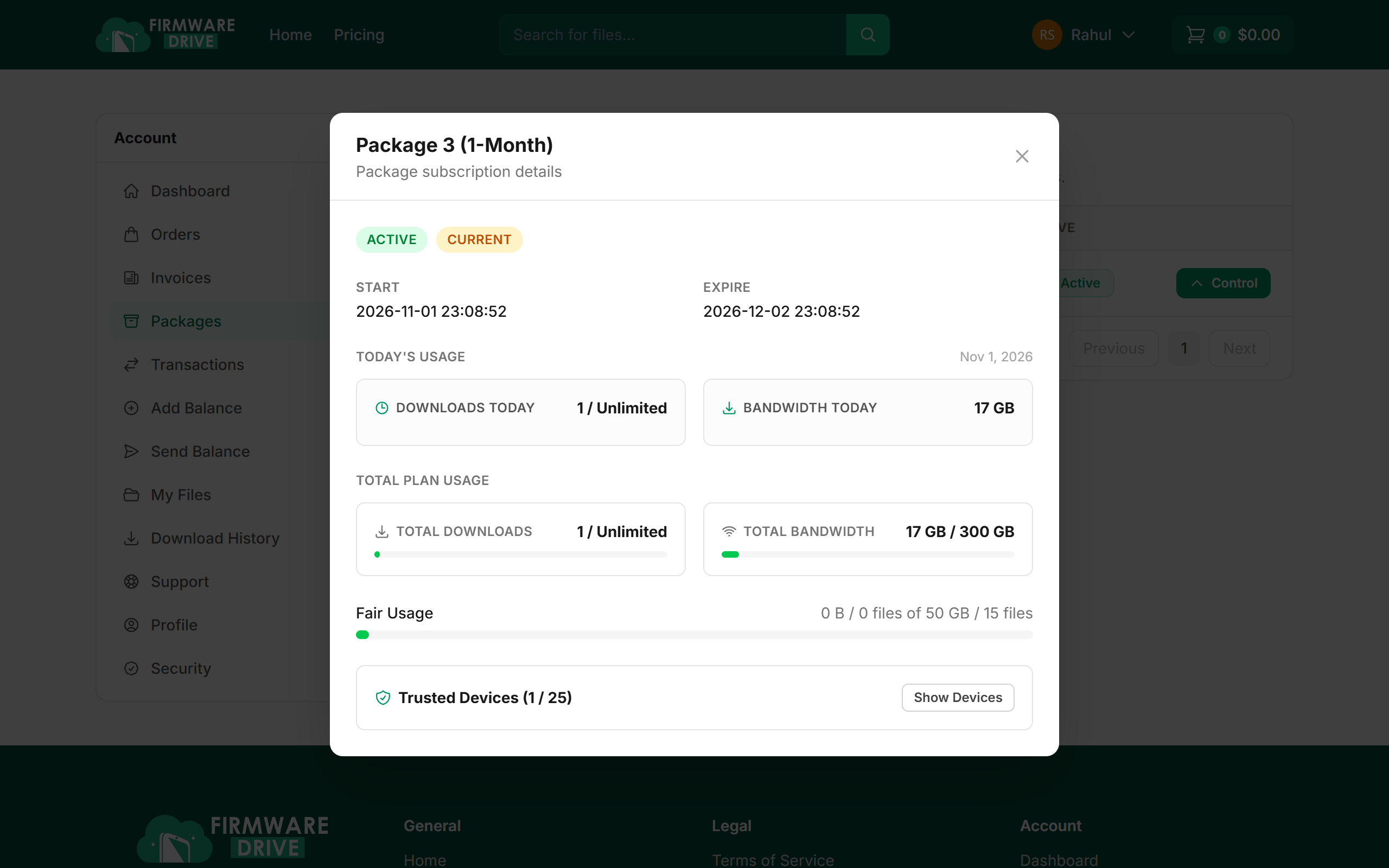
Under Packages click Control on your plan to see today's usage, total usage against your bandwidth, fair usage and trusted devices.
Good to know
- Need just one file? Package 1 (Single File) is the cheapest option.
- Fixing phones every day? A monthly or longer plan costs far less per file.
- See How to check your package usage and devices for more on the Control panel.
More guides: Help & Guides.