
How to Check Your Package Usage and Devices
See your plan dates, daily and total usage, fair usage and the computers authorized on your package.
The Packages page shows every plan you have bought. The Control panel gives the full details of one plan.
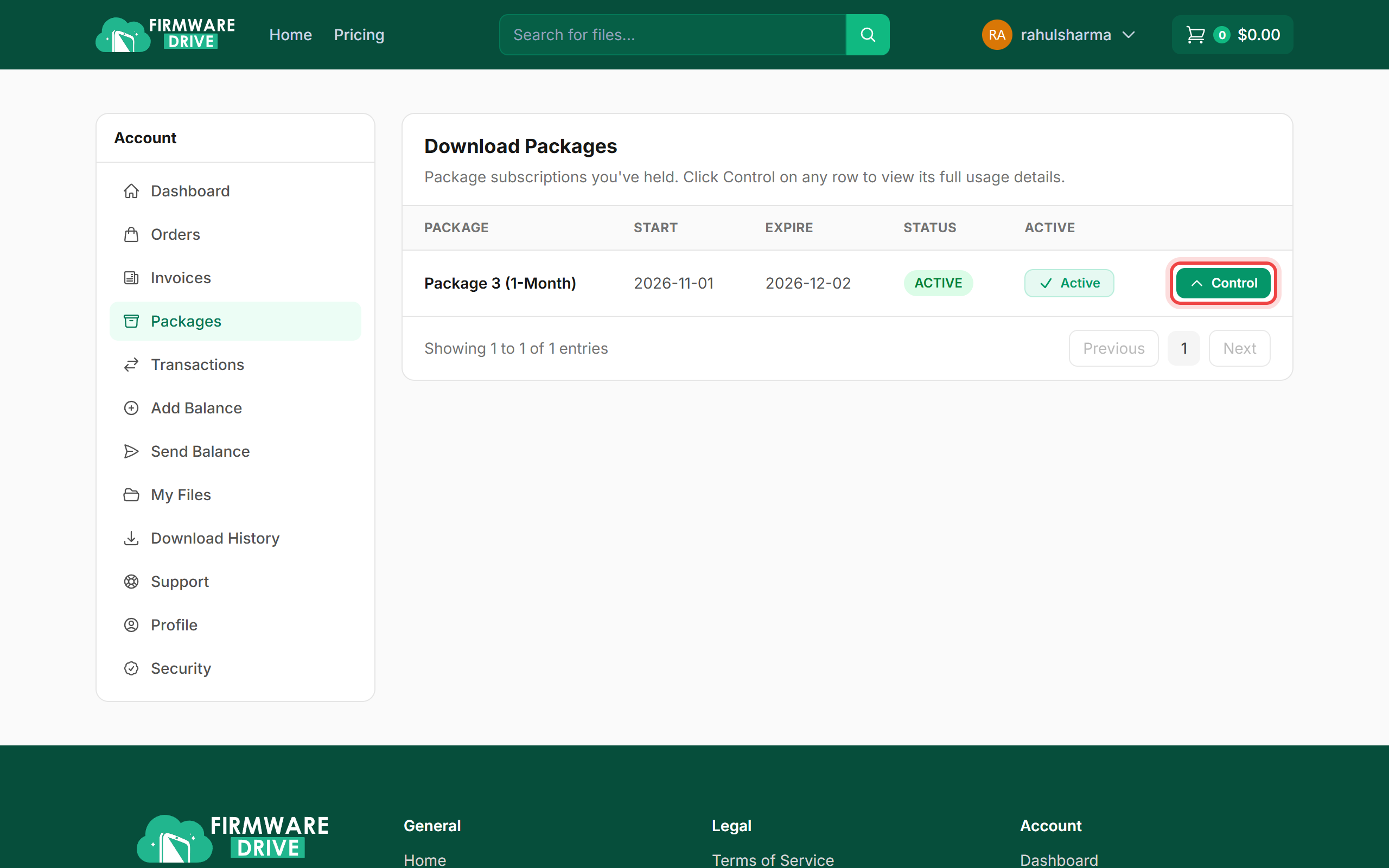
Step 1: Open Packages and click Control
Sign in and open Account > Packages. Each plan shows its start date, expiry date and status. Click Control on the plan you want to check.
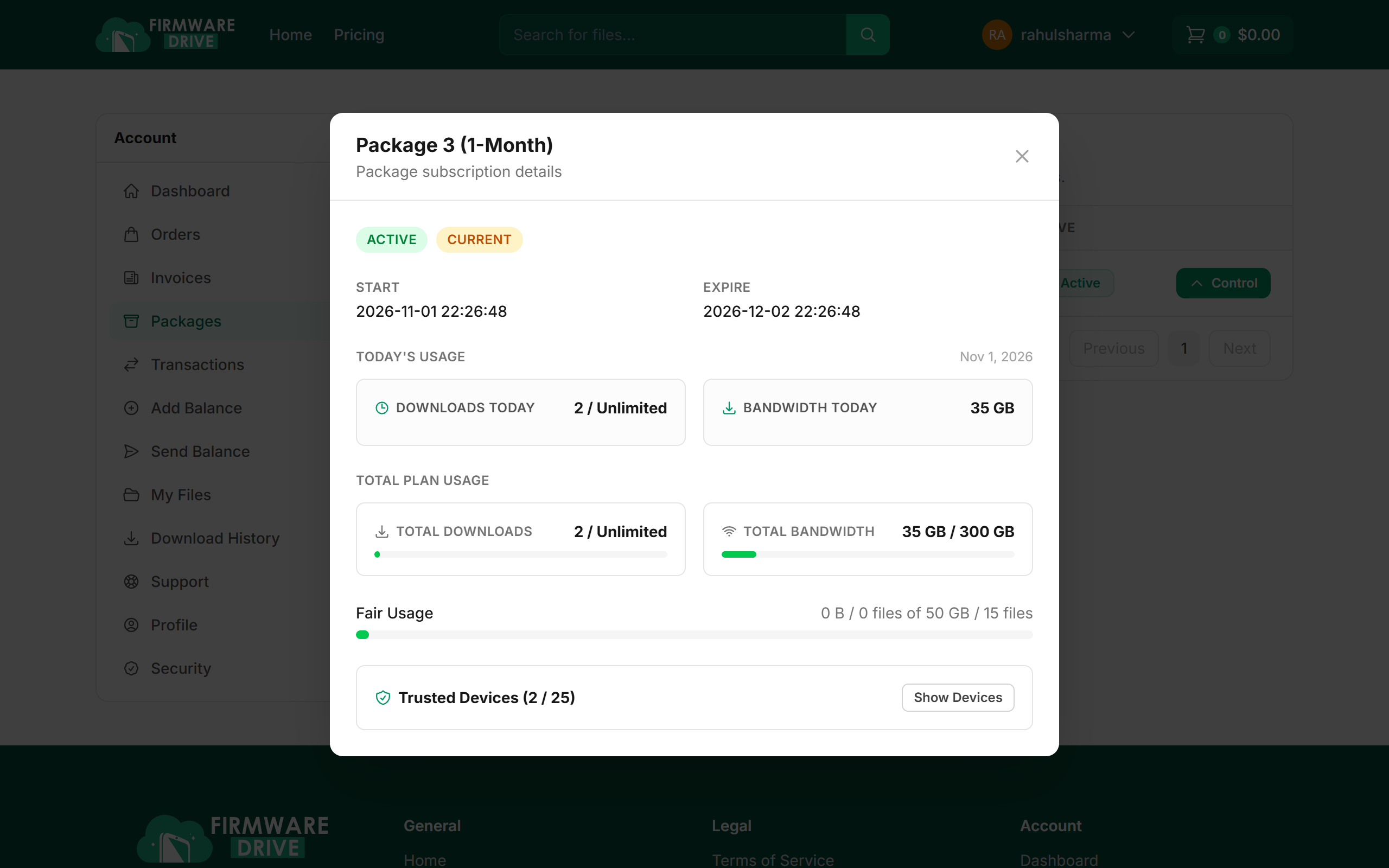
Step 2: Read your usage
The panel shows the plan start and expiry, Today's usage (downloads and bandwidth), Total plan usage, and the Fair Usage bar. Click Show Devices to see the authorized computers.
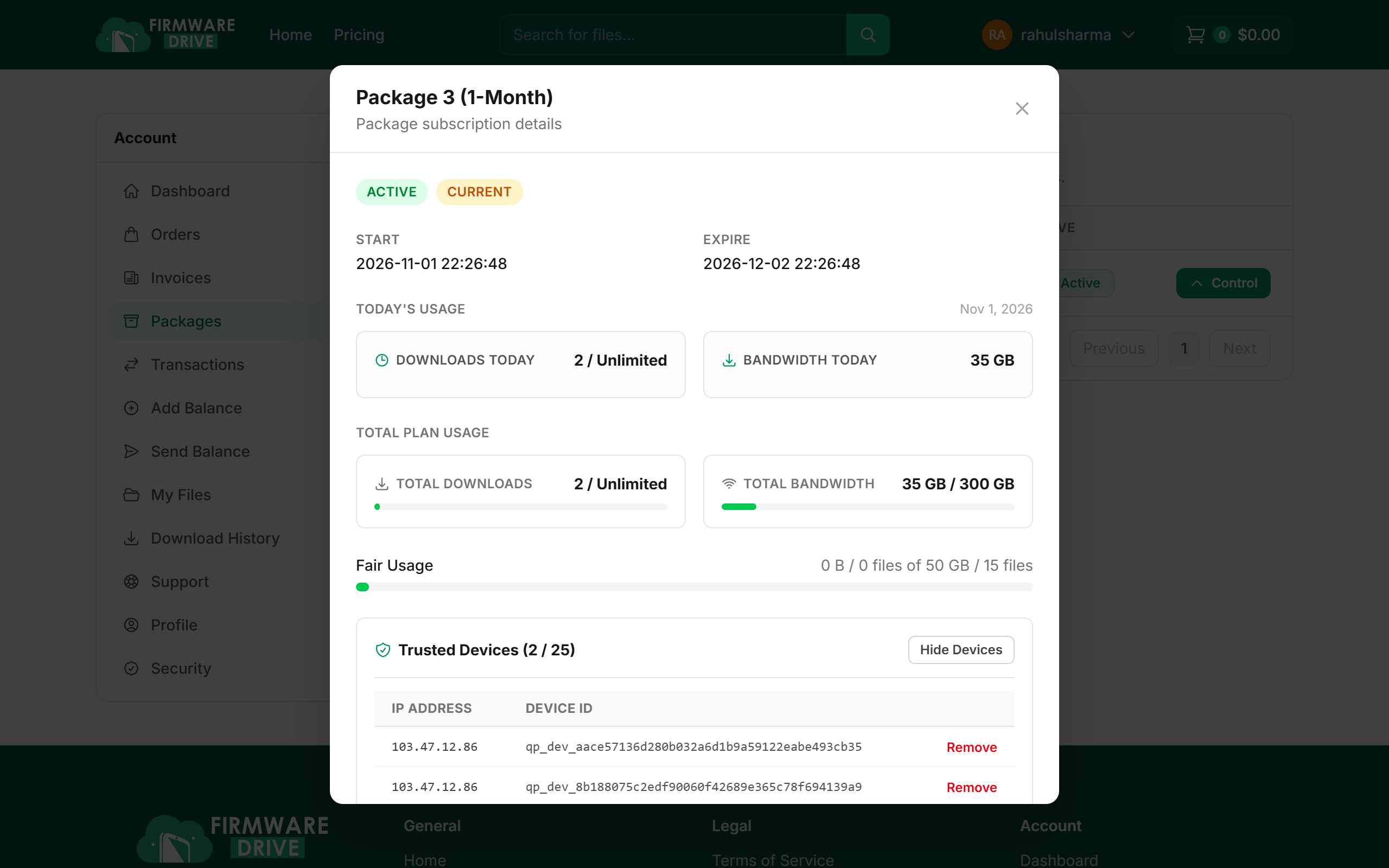
Step 3: See or remove trusted devices
Every computer you authorized is listed with its IP address and device ID. If you no longer use a computer, click Remove to free its slot for a new one. You can remove one device every 7 days, for example after changing your computer.
Good to know
- The count next to Trusted Devices (for example 2 / 25) shows used and allowed device slots.
- A plan bought but not yet used shows "Starts at first download". You have 90 days from purchase to start it.
More guides: Help & Guides.