
Help & Guides Rajesh Patel Nov 1, 2026 0 views
How to View Your Orders and Download Invoices
See every purchase, check whether it is paid, and download a PDF invoice for your records.
Every package purchase and wallet top-up creates an order and an invoice. You can view them at any time and download a PDF copy.
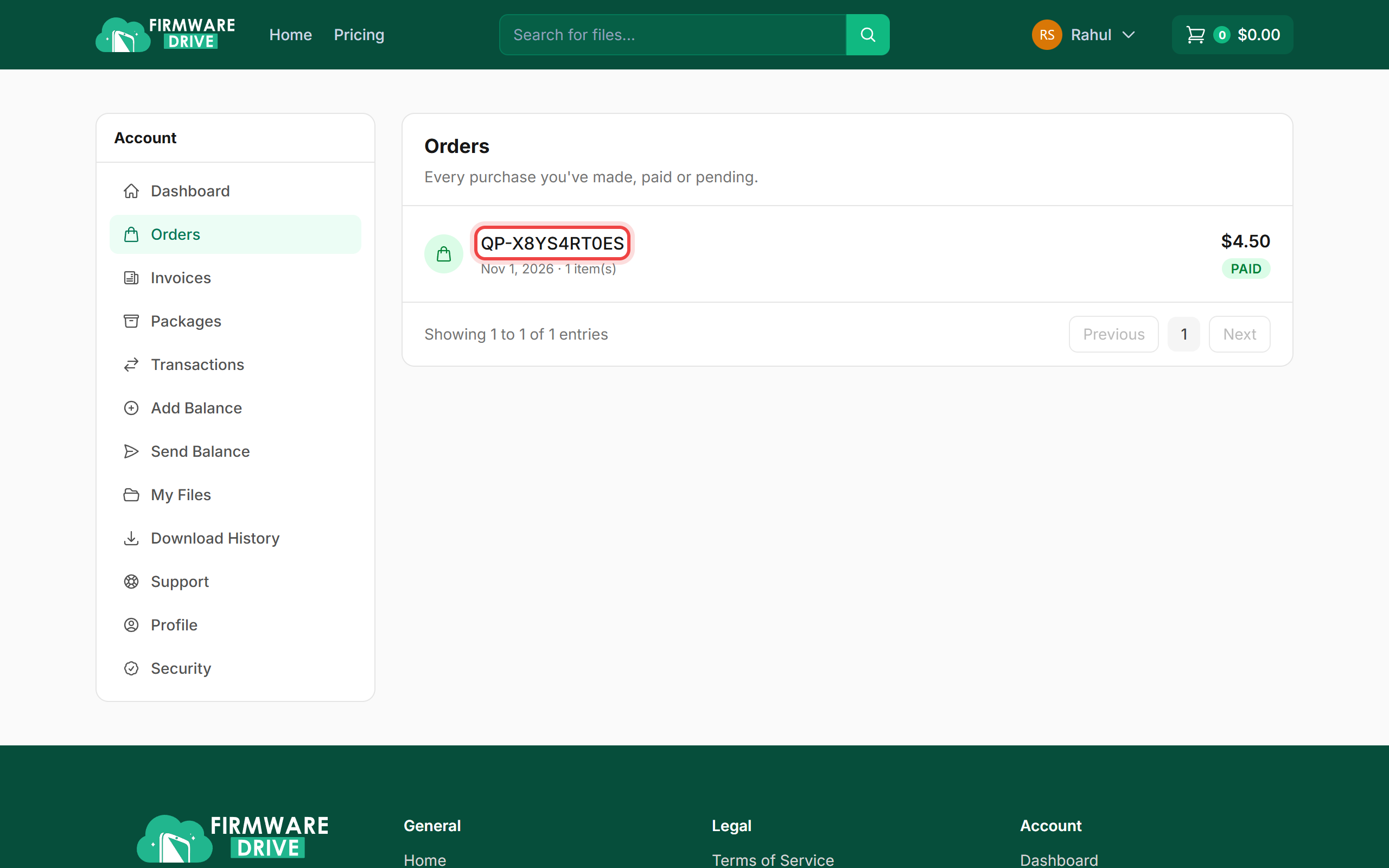
Step 1: Open Orders
Click Orders in the account menu. Each order shows its number, date, amount and status (PAID or PENDING).
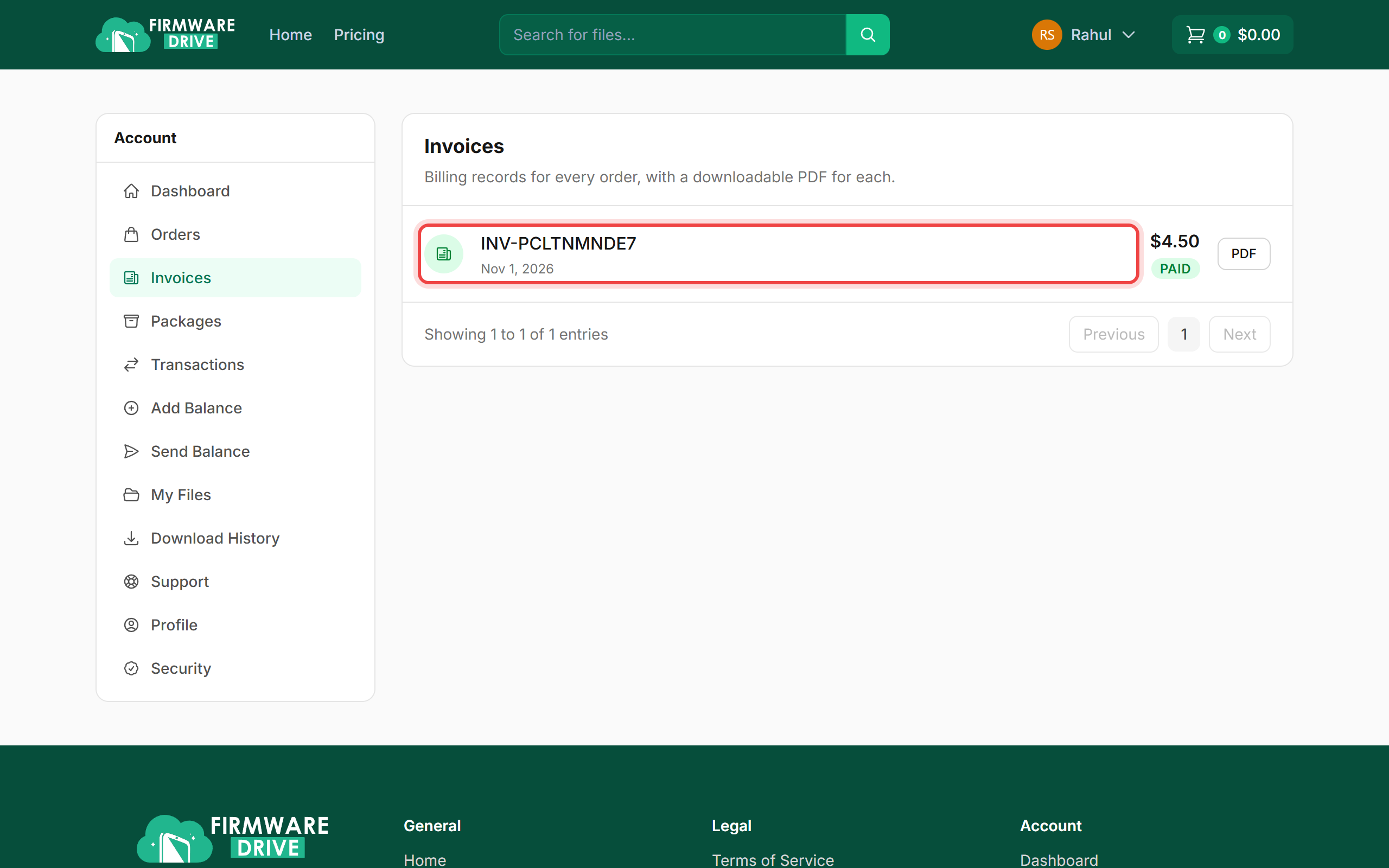
Step 2: Open Invoices
Click Invoices for the billing records. Click an invoice number to view it, or PDF to download it straight away.
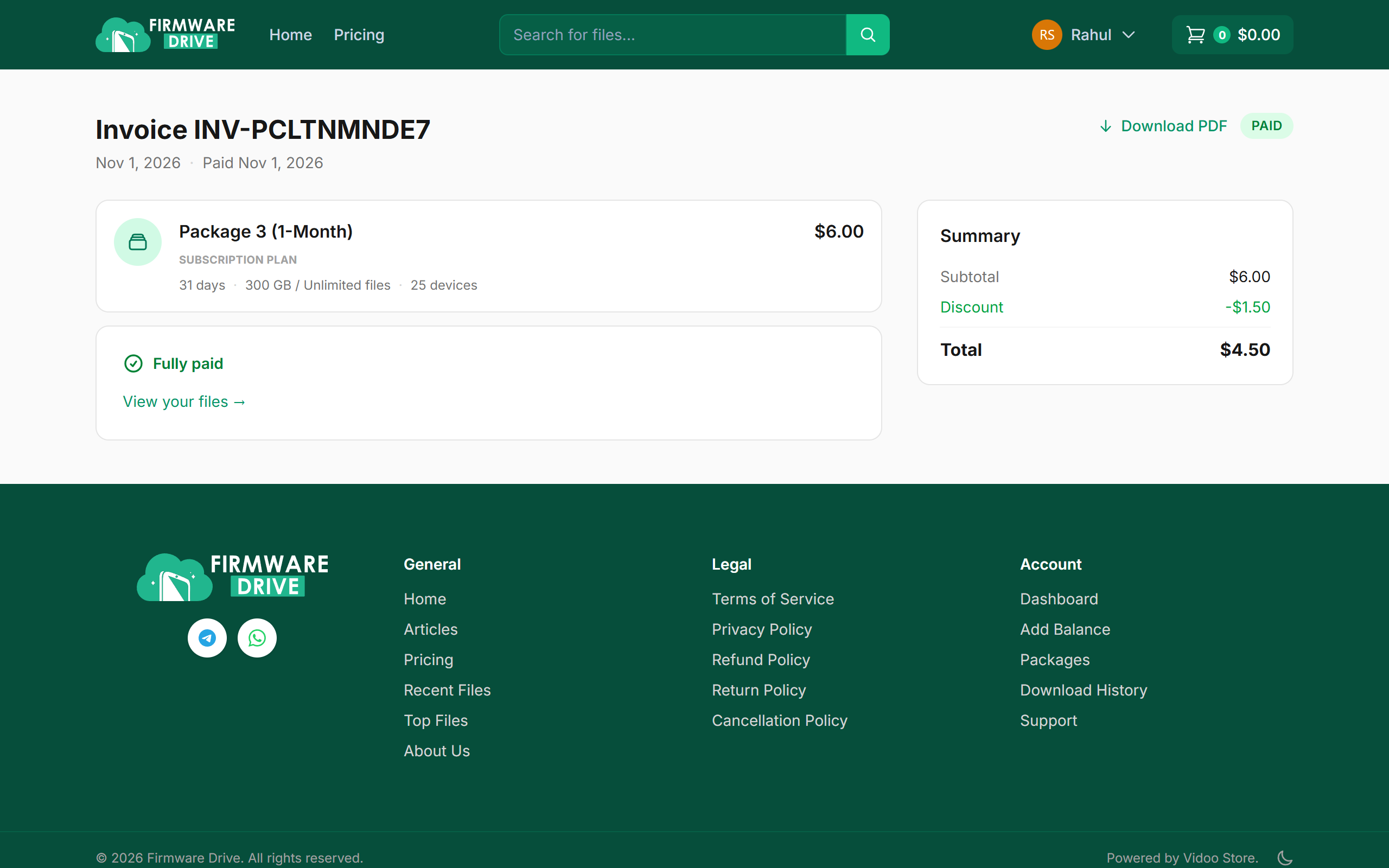
Step 3: View or download the invoice
The invoice lists the package, price, any discount and the total paid. Click Download PDF to save a copy.
Good to know
- A PENDING order means payment was started but not finished. You can ignore it, or pay again from the cart.
- Your name and country on invoices come from your Profile page.
More guides: Help & Guides.