
Help & Guides Rajesh Patel Nov 1, 2026 4 views
How to Use a Coupon Code
Apply a coupon in your cart to get a discount on any download package.
Firmware Drive runs seasonal offers, and the current one is usually shown on the home page. Coupons are applied in the cart before you pay.
Step 1: Add a package and enter the code
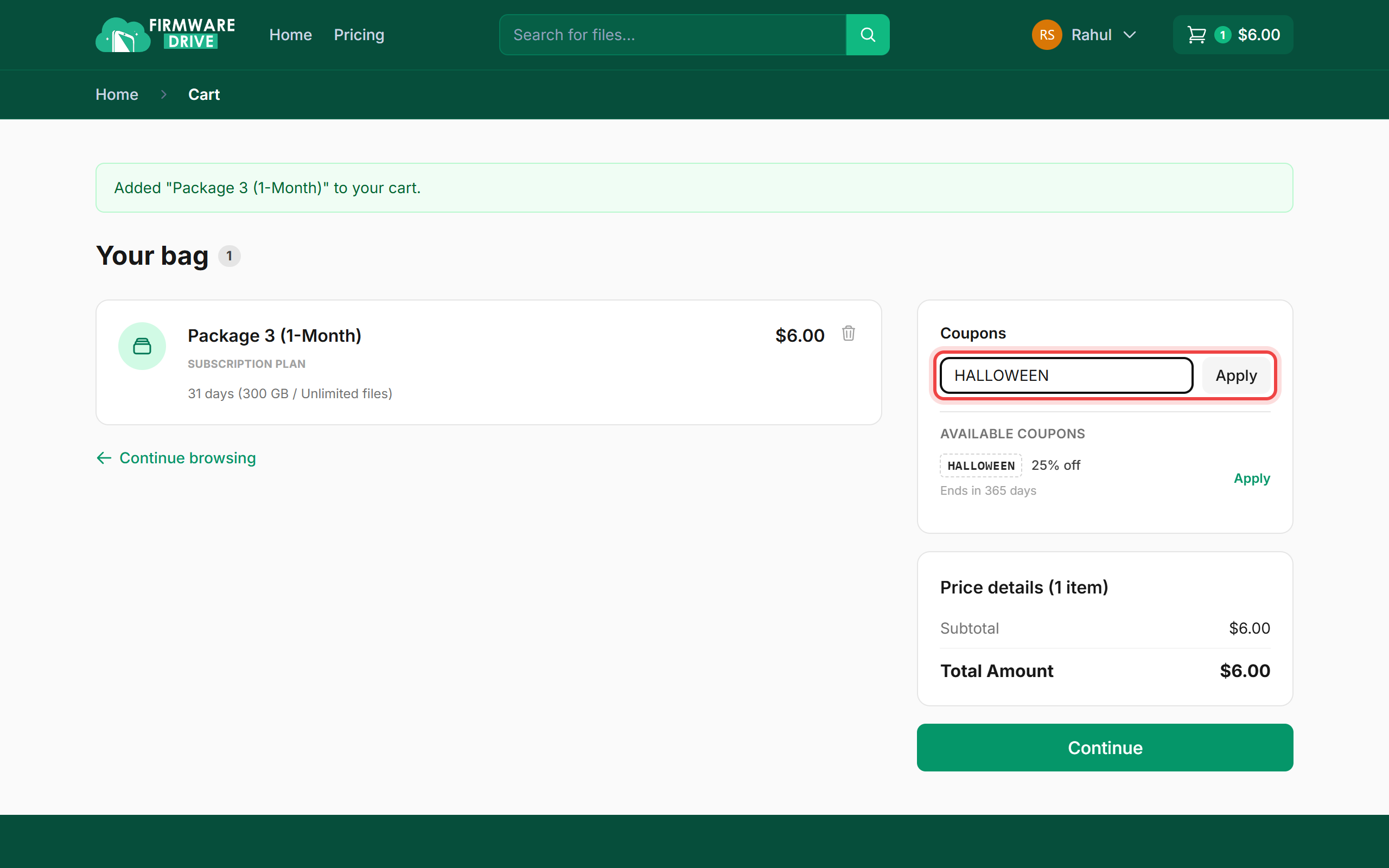
Pick a package on the Pricing page and click Buy Now. In the cart, type the code in the Coupons box and click Apply. You can also click Apply next to a code listed under Available coupons.
Step 2: Check the discount
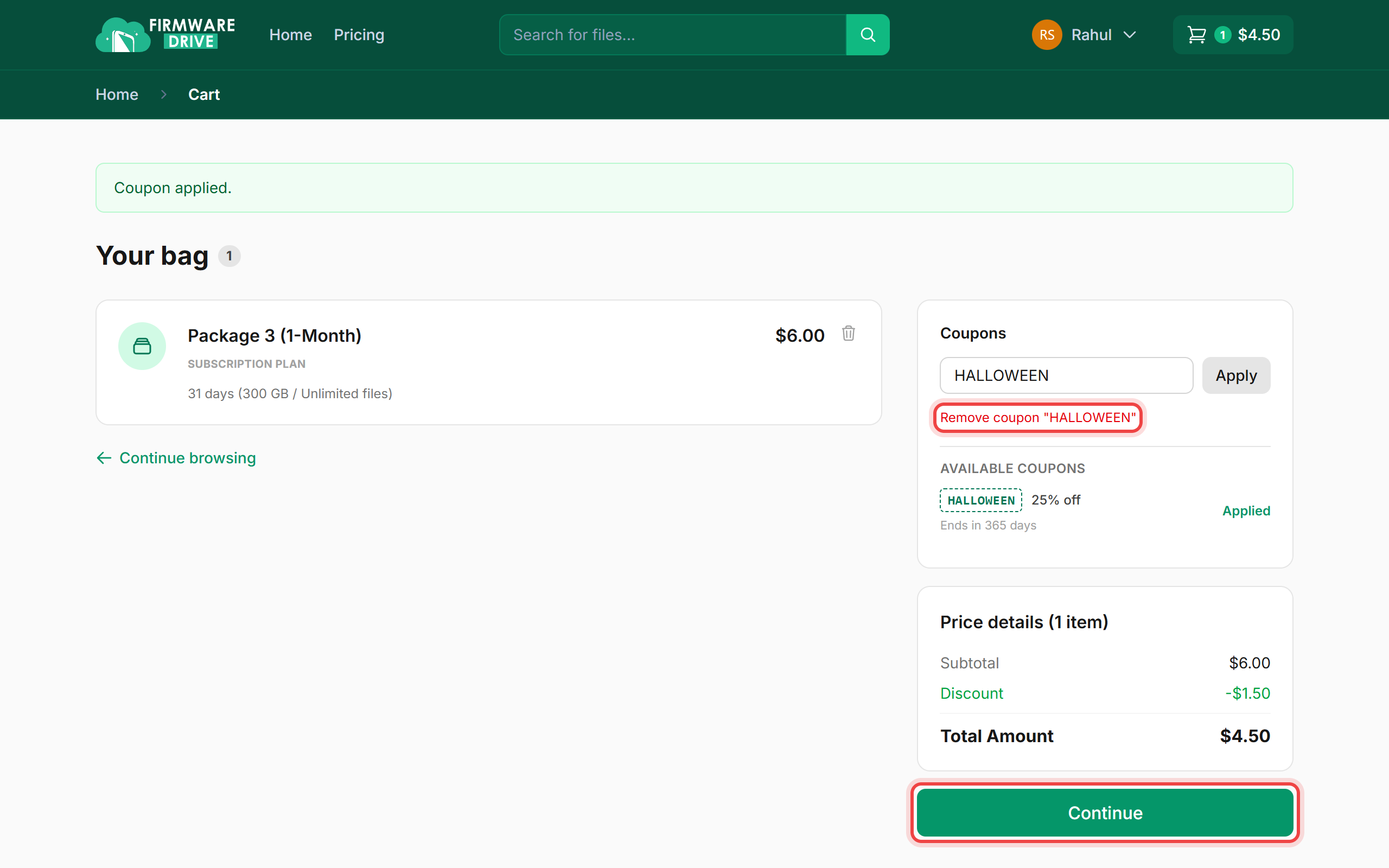
You will see Coupon applied. The Price details box now shows the Discount line and the lower Total Amount. Click Continue.
Step 3: Pay the discounted total
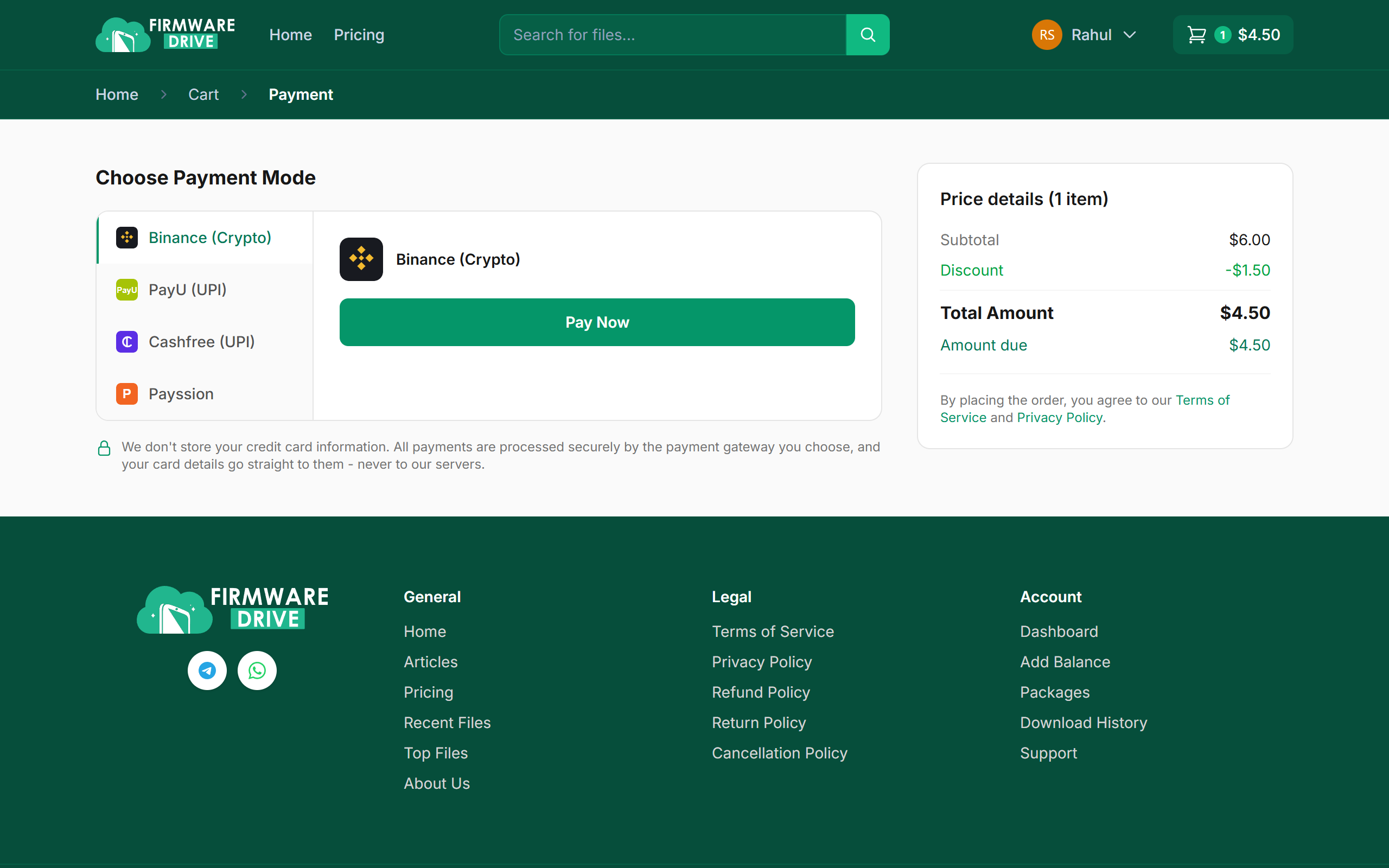
On the payment page the discount is carried over. Choose a payment method and click Pay Now.
Good to know
- Only one coupon can be used per order. To use a different one, click Remove coupon first.
- Each coupon has an end date, shown under it in the cart ("Ends in ... days").
More guides: Help & Guides.