
Help & Guides Rajesh Patel Nov 1, 2026 3 views
How to Pay With UPI (PayU or Cashfree)
Pay for a package with any UPI app such as Google Pay, PhonePe or Paytm through PayU or Cashfree.
If you are in India, UPI is the quickest way to pay. Firmware Drive offers two UPI gateways, PayU and Cashfree. Both work with every UPI app, and your package is activated as soon as the payment is confirmed.
Step 1: Go to checkout
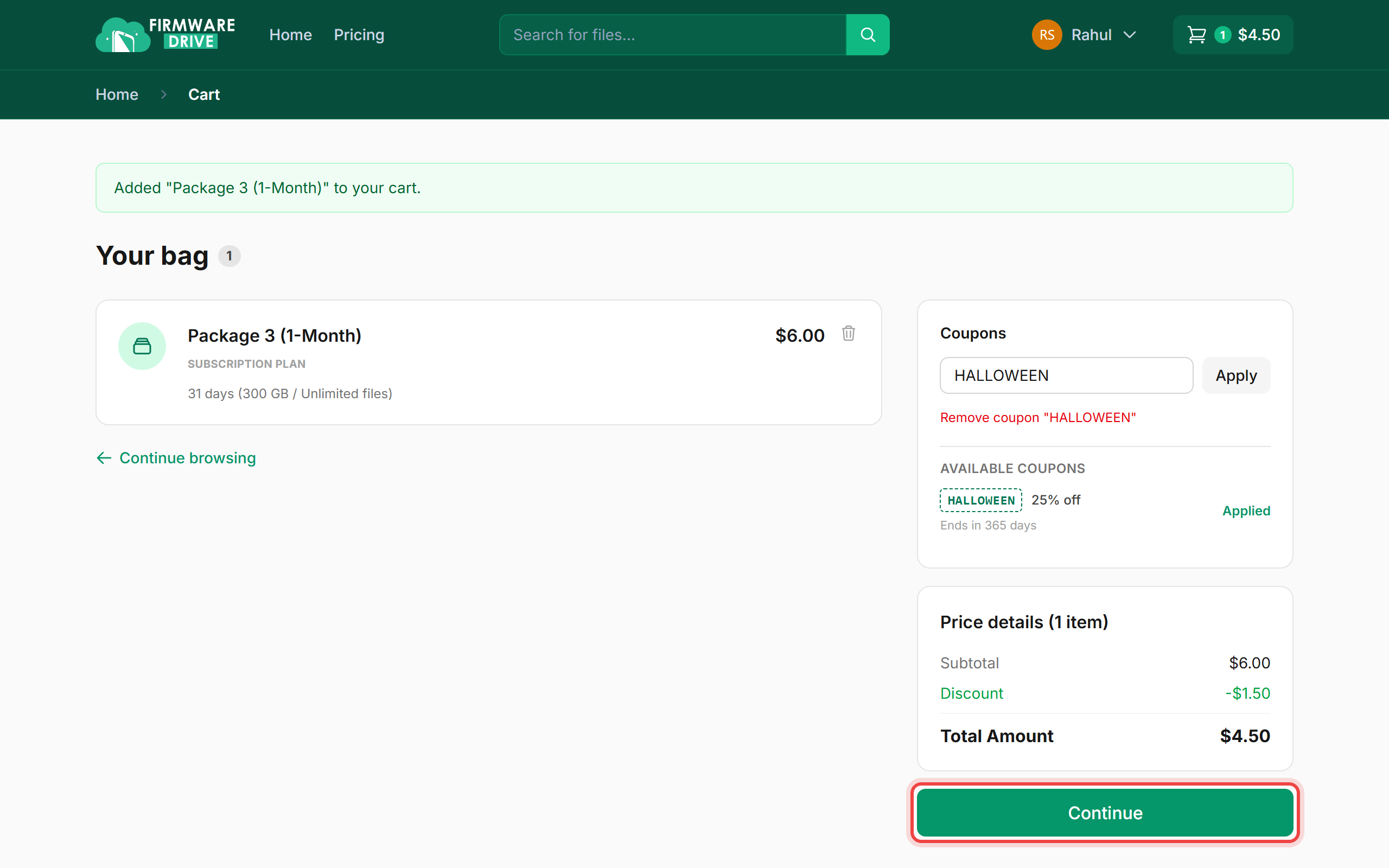
Add a package from the Pricing page, apply a coupon if you have one, and click Continue.
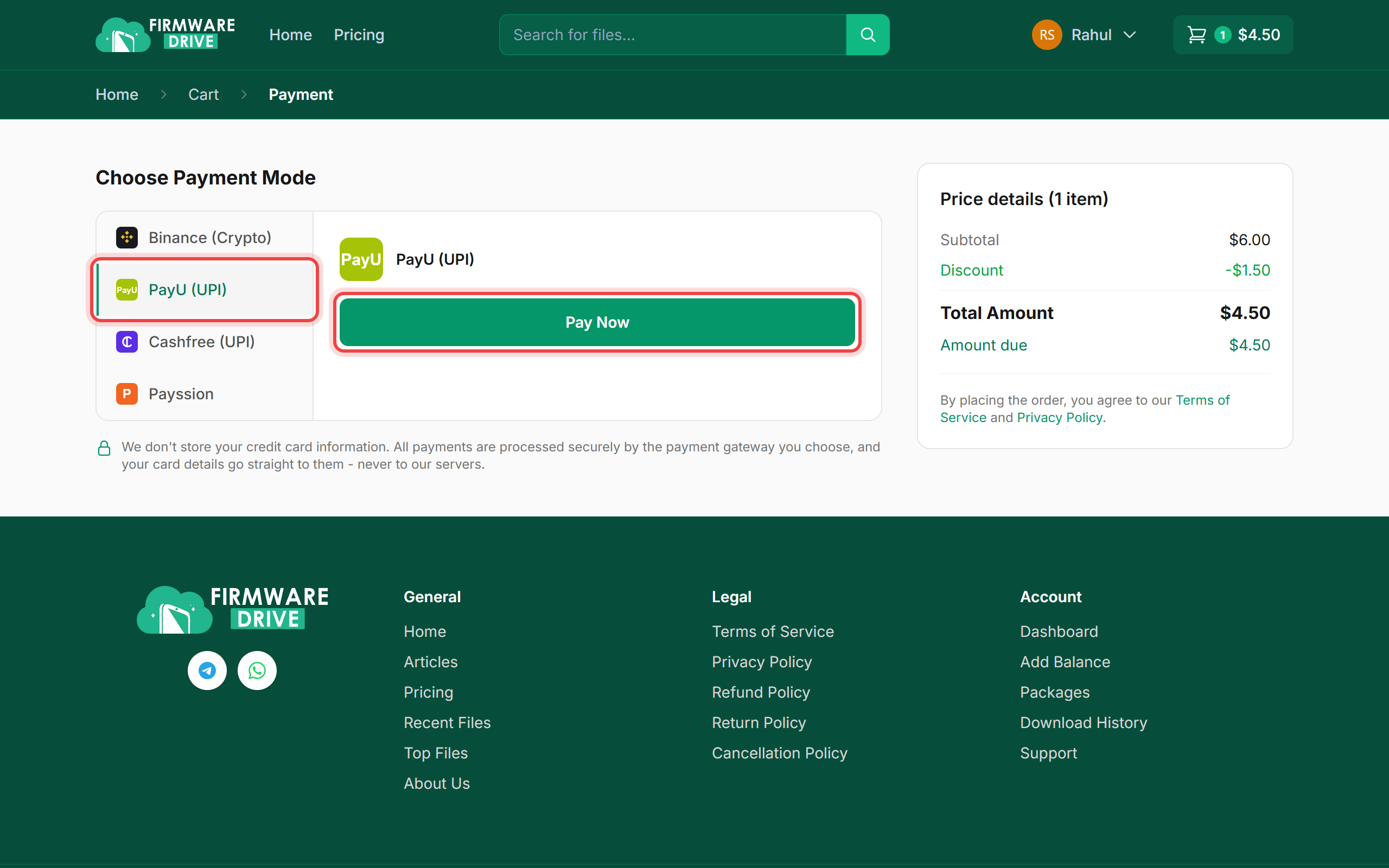
Step 2: Choose PayU (UPI) or Cashfree (UPI)
Under Choose Payment Mode, click PayU (UPI) or Cashfree (UPI), then click Pay Now. You are sent to the gateway's secure page.
- Scan the QR code with your UPI app, or enter your UPI ID (for example name@okaxis) and approve the request in the app.
- Do not close the tab until you are returned to Firmware Drive.
Step 3: Check your order
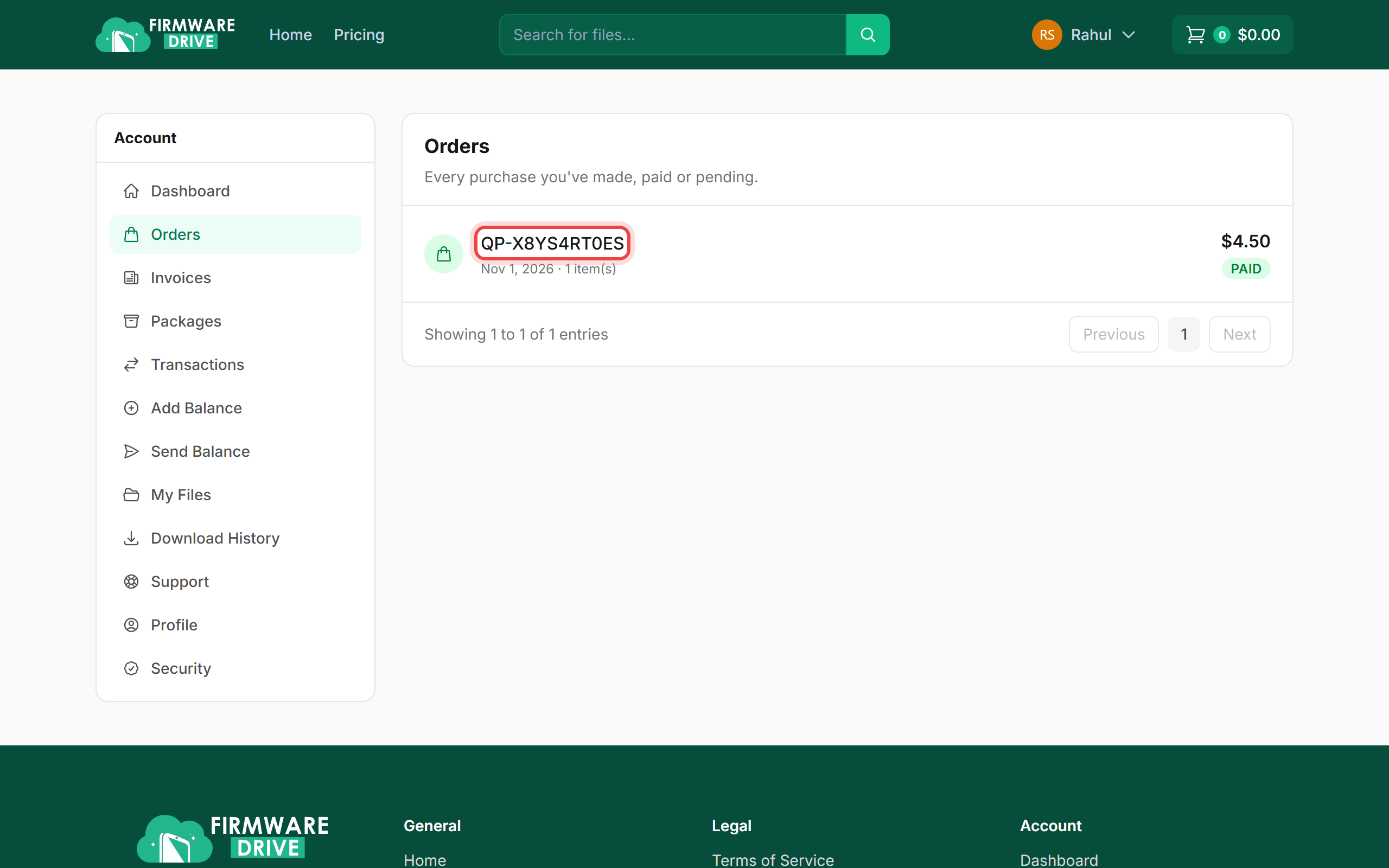
After payment you are returned to your invoice. Your order also appears under Orders as PAID, and the package shows under Packages.
Good to know
- Prices are in US dollars and the gateway converts them to rupees at checkout.
- If money left your bank but the order still says pending after 30 minutes, open a support ticket with the UPI reference number. Do not pay twice.
- Outside India? Use Binance (Crypto), Payssion or your wallet balance instead.
More guides: Help & Guides.